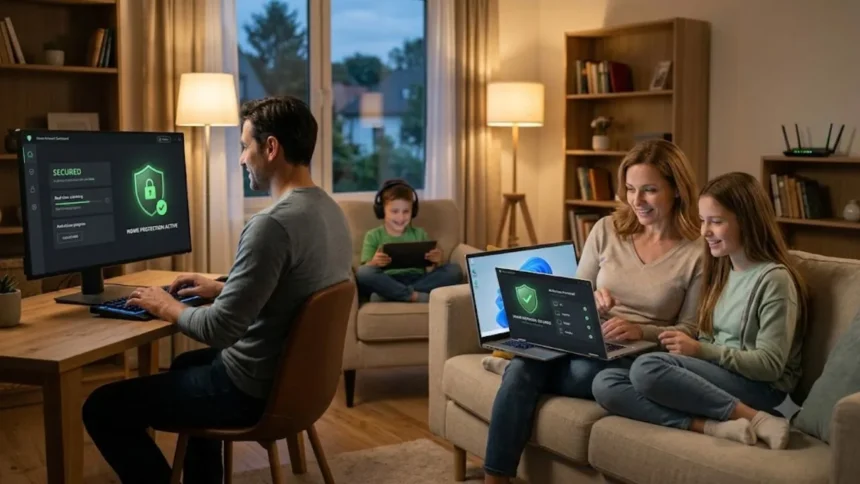
Best Antivirus Software for Home Users in 2026
Choosing the best antivirus software for home users is no longer just about blocking traditional computer viruses. Modern households use laptops, smartphones, tablets, smart televisions, and connected devices for banking, shopping, studying, entertainment, and remote work. Each device can become a target for malware, ransomware, phishing scams, unsafe downloads, account theft, and other online threats.
The good news is that today’s leading antivirus programs offer much more than a basic virus scanner. Many internet security suites now include real-time malware protection, ransomware defence, malicious website blocking, password management, virtual private networks, parental controls, webcam protection, and identity monitoring. These additional tools can make digital security easier for people who do not have technical knowledge.
However, the most expensive antivirus package is not automatically the right one for every household. A person protecting one Windows laptop has different needs from a family using ten devices across Windows, macOS, Android, and iOS. Your budget, online habits, number of users, device types, and need for privacy tools should all influence your decision.
This guide compares the best antivirus software for home users based on protection quality, ease of use, performance, device coverage, security features, and overall value. It also explains when free antivirus may be sufficient, what features matter most, and how to choose a reliable security solution without paying for unnecessary extras.
Quick Answer: Which Home Antivirus Is Best?
Bitdefender Total Security is our best overall choice for home users who want strong malware protection, useful privacy tools, ransomware defence, and coverage across different device types. It provides a balanced combination of security and usability, making it suitable for individuals, couples, and families who want reliable protection without constantly managing complicated settings.
Norton 360 Deluxe is an excellent option for families that want security and privacy features in one subscription. Along with antivirus protection, its available tools can include a VPN, password manager, parental controls, cloud backup, scam protection, and dark web monitoring. This combination makes it particularly useful for households with children or several regular internet users.
ESET HOME Security Premium is a strong choice for users who value lightweight protection and detailed security controls. It is especially suitable for people who play games, use older computers, manage smart home devices, or want features such as secure banking, network inspection, anti-phishing protection, webcam security, and sensitive file encryption.
McAfee Total Protection and Malwarebytes Premium Security are also worth considering. McAfee works well for households that want broad device, privacy, and identity protection, while Malwarebytes provides a simpler experience focused on malware, ransomware, unsafe websites, fake downloads, browser-based threats, and modern online scams. Microsoft Defender remains a practical free option for careful Windows users.
How We Selected the Best Antivirus Software
Malware detection was the first consideration because an antivirus program must be able to identify and block dangerous files, malicious websites, ransomware, spyware, Trojans, and newly emerging threats. We prioritised products that have performed consistently in independent antivirus testing rather than relying only on advertising claims made by software companies.
Performance was another important factor because antivirus software runs continuously in the background. Poorly optimised security software can slow application launches, web browsing, software installation, file transfers, and other everyday tasks. A good home antivirus should provide real-time protection without making a modern computer feel noticeably slower during normal use.
We also considered false alarms and ease of use. An antivirus program that repeatedly blocks safe websites or trusted applications can frustrate inexperienced users and encourage them to disable important protection. Home security software should provide understandable warnings, sensible default settings, automatic updates, and clear instructions when the user needs to take action.
Finally, we reviewed additional features such as phishing protection, ransomware defence, VPN access, parental controls, password management, identity monitoring, secure browsing, cloud backup, and multi-device support. These features were evaluated as useful additions rather than substitutes for effective malware protection. We also considered whether the product provides meaningful value for an average household.
1. Bitdefender Total Security: Best Overall Antivirus
Bitdefender Total Security is one of the strongest all-round options for home users because it combines reliable malware protection with a broad collection of security and privacy features. It is designed to detect viruses, ransomware, spyware, suspicious applications, dangerous downloads, phishing pages, and other online threats before they can damage a device or steal personal information.
Its layered security approach is useful against threats that do not behave like traditional viruses. Behavioural detection can identify suspicious activity, while web protection can stop users from visiting fraudulent or infected pages. Dedicated ransomware protection adds another layer for documents, photographs, videos, and other valuable files that criminals may try to encrypt.
Bitdefender is also suitable for households with different devices because its consumer plans can cover Windows, macOS, Android, and iOS. However, individual features may differ across platforms. Windows users generally receive the widest selection of protection and optimisation tools, while mobile and Apple users should check the current feature list before choosing a subscription.
The main disadvantage is that some advanced features may require a higher-priced plan, and VPN usage can be limited on entry-level packages. Nevertheless, Bitdefender remains a strong choice for users who want dependable home cybersecurity, straightforward controls, good ransomware defence, and protection that can operate quietly in the background.
2. Norton 360 Deluxe: Best Antivirus for Families
Norton 360 Deluxe is designed for households that want more than a standalone antivirus program. It combines real-time protection against malware, ransomware, malicious downloads, unsafe websites, and account-stealing attacks with additional tools for privacy and family safety. A typical Deluxe subscription supports multiple computers, smartphones, or tablets under one account.
One of Norton’s biggest strengths is the number of useful features available within its security suite. Depending on the region and plan, users may receive a VPN, password manager, dark web monitoring, parental controls, scam protection, webcam security, and cloud backup for Windows files. These tools can reduce the need to purchase several separate security services.
Parents may find Norton especially useful because its parental control tools can help supervise children’s online activity, manage screen time, and restrict unsuitable content. Its scam and phishing protection can also help less experienced family members avoid fraudulent websites, fake messages, suspicious downloads, and attempts to steal passwords or payment information.
Norton’s main weakness is its subscription pricing structure. The introductory price may look attractive, but the renewal cost can be considerably higher, depending on the plan and location. Users should read the renewal terms carefully and confirm which features work on each operating system. For families needing an all-in-one security package, it remains a compelling option.
3. ESET HOME Security Premium: Best Lightweight Antivirus
ESET HOME Security Premium is a suitable choice for people who want strong protection without an excessive number of pop-ups or resource-heavy background processes. Its small system footprint makes it attractive for gamers, remote workers, students, and users with older computers. It provides real-time protection against malware, spyware, ransomware, phishing, and botnet activity.
The software includes several tools that are particularly valuable for experienced Windows users. Secure banking and browsing features can create a safer environment for financial activity, while webcam and microphone monitoring can help prevent unauthorised access. Network inspection tools can also identify potential weaknesses involving routers and connected smart home devices.
ESET provides more configuration options than many beginner-focused antivirus products. Advanced users can adjust scanning behaviour, firewall rules, detection settings, network controls, and other technical features. At the same time, the default settings are suitable for most home users, so people do not need to understand every available option to receive effective protection.
Some ESET subscriptions include a VPN, sensitive file encryption, password-related tools, identity monitoring, or enhanced ransomware recovery. Availability differs between plans and platforms, and antivirus functionality on iOS is naturally more limited than on Windows or Android. ESET is best for users who value performance, control, safe banking tools, and smart home security.
4. McAfee Total Protection: Best for Multiple Devices
McAfee Total Protection is a practical solution for households that need to protect several laptops, desktops, tablets, and smartphones. Its plans combine antivirus protection with web security, scam detection, privacy tools, and identity monitoring. This broad approach can make the software easier to manage than using separate products for every security requirement.
The antivirus component helps detect viruses, ransomware, spyware, dangerous downloads, and other malware. Web protection can warn users before they open risky websites, links, or files, while scam detection is designed to recognise suspicious messages and fraudulent online content. These features are useful for families regularly shopping, banking, communicating, or working online.
McAfee also offers privacy-focused tools in selected plans. These may include a secure VPN, password manager, dark web monitoring, data-broker scanning, social media privacy assistance, and support after identity-related incidents. Some features are limited to specific countries, particularly financial monitoring and identity theft services, so availability should be checked before purchase.
The software offers a convenient central dashboard, but its range of features may feel overwhelming to users who only need basic malware protection. Renewal pricing and device allowances can also vary significantly between plans. McAfee is most valuable for families that will actively use its identity, privacy, scam protection, and multi-device management tools.
5. Malwarebytes Premium Security: Best for Simplicity
Malwarebytes Premium Security is a good option for home users who want straightforward protection against modern digital threats. It focuses on malware, ransomware, unsafe websites, phishing pages, infected downloads, malicious advertisements, unwanted programs, browser-based attacks, and online scams. Its simple interface makes it approachable for people with limited cybersecurity experience.
The free version of Malwarebytes is commonly used as an on-demand malware removal tool. It can scan a device and help clean up an existing infection, but it does not provide the same continuous protection as the paid Premium version. Home users who want automatic blocking and real-time defence should therefore consider the subscription rather than relying only on occasional manual scans.
Malwarebytes is particularly useful for identifying potentially unwanted programs and web threats that may appear through fake software updates, misleading advertisements, suspicious browser notifications, unsafe extensions, and fraudulent search results. Its browser protection can add another barrier between the user and websites designed to steal payment details, login credentials, or personal information.
Some Malwarebytes plans add a VPN, identity-related services, digital footprint scanning, scam guidance, and protection for several devices. However, availability differs by country, and some identity services are designed primarily for the United States. Malwarebytes is best for users who want simple, effective malware and web protection without managing a highly complex security suite.
6. Microsoft Defender Antivirus: Best Free Windows Option
Microsoft Defender Antivirus is built into Windows 11 and provides real-time, always-on protection without requiring an additional purchase. It works through the Windows Security application and can scan files, monitor suspicious activity, quarantine detected threats, and receive frequent security updates. For many careful Windows users, it provides a reasonable basic level of protection.
Windows also includes security tools that work alongside Defender Antivirus. Microsoft Defender SmartScreen can warn users about potentially dangerous websites, applications, and downloads, while Windows Firewall helps block unwanted network traffic. Windows Hello, Smart App Control, device encryption, passkeys, and account protection can provide additional layers on compatible computers.
The biggest benefit is convenience. Defender is already installed, activates automatically when no compatible third-party antivirus is running, and integrates closely with Windows. It does not display frequent upgrade advertisements or require users to manage a separate licence. This makes it suitable for budget-conscious users who maintain safe online habits and install system updates promptly.
Its limitation is that it does not include every extra available in a premium internet security suite. Users may still need separate services for a full VPN, advanced identity monitoring, data-broker removal, comprehensive password management, or wider multi-platform protection. Defender is best for disciplined Windows users who need free antivirus rather than a complete household security package.
7. Avast Free Antivirus: Best Free Third-Party Antivirus
Avast Free Antivirus is an alternative for users who want a free third-party security program instead of relying entirely on Microsoft Defender. It provides real-time malware scanning, web threat detection, phishing protection, and tools that can identify unsafe applications or suspicious downloads. Its interface is generally understandable for beginners who want clear security status information.
The software can be helpful for users who frequently download programs, browse unfamiliar websites, or want an additional layer of warning against fraudulent pages. Avast also offers browser-related protection and scam-focused features, although some tools may require a paid subscription. The exact free feature set can change, so users should review the current package before installation.
A disadvantage of Avast Free is that it may display reminders encouraging users to upgrade to a premium plan. Some scans can also identify privacy or performance issues that require payment to fix through Avast’s additional tools. Users should distinguish between genuine security alerts and optional recommendations for features that are not essential.
Avast Free Antivirus is a reasonable choice for people who want active malware and web protection without an immediate subscription. However, users should review privacy settings, decline unnecessary add-ons during installation, and avoid running it alongside another full real-time antivirus. Only one primary antivirus engine should normally control continuous Windows malware protection.
Is Free Antivirus Enough for Home Users?
Free antivirus can be sufficient for a cautious individual who uses an updated Windows computer, downloads software only from trusted sources, avoids suspicious links, and keeps reliable backups. Microsoft Defender and reputable free antivirus programs can provide real-time malware detection without requiring a yearly payment. Basic protection is far better than running an unprotected or outdated device.
However, free antivirus usually provides fewer supporting features than a paid internet security suite. Users may not receive a VPN, parental controls, dark web monitoring, identity assistance, password management, cloud backup, advanced scam detection, or protection for many devices. Customer support may also be more limited when an infection or installation problem occurs.
A premium antivirus package becomes more valuable when several people share devices, children use the internet independently, family members frequently shop or bank online, or less experienced users may struggle to recognise scams. Paid protection may also simplify security by placing malware defence, privacy tools, web protection, and device management inside one account.
The decision should be based on risk and convenience rather than fear. A careful user with one Windows laptop may be well served by built-in protection and strong security habits. A busy family with several devices, shared accounts, online payments, and young users is more likely to benefit from a comprehensive paid security suite.
Important Antivirus Features to Look For
Real-time malware protection is the most important feature because it monitors files, applications, downloads, and system activity continuously. The software should block viruses, ransomware, spyware, Trojans, keyloggers, malicious scripts, and potentially unwanted programs before they cause damage. Automatic threat definition and software updates should also be enabled by default.
Web and phishing protection is equally important because many attacks now begin inside a browser rather than through an obvious infected file. A good security program should warn users about fake login pages, fraudulent online shops, malicious advertisements, unsafe links, scam messages, infected downloads, and websites attempting to steal banking details or passwords.
Ransomware protection should monitor attempts to encrypt or modify personal files. Some products protect selected folders, block untrusted applications, isolate suspicious activity, or help recover damaged files. No ransomware defence is perfect, so users should still keep important documents and photographs in a separate backup that cannot be permanently altered by malware.
Additional features should match your actual needs. Families may benefit from parental controls, while frequent travellers may value a VPN for public Wi-Fi. Password managers help create unique login credentials, identity monitoring can reveal exposed information, and webcam protection can block unauthorised access. Avoid paying extra for tools you already receive from another trusted service.
How to Choose Antivirus for Your Devices
Begin by counting every device you want to protect, including personal laptops, shared computers, smartphones, tablets, and devices used by children. A cheap single-device plan may become expensive when several separate licences are needed. A family or multi-device subscription can provide better value and make renewal, installation, and security monitoring easier.
Next, confirm compatibility with each operating system. A product may provide extensive antivirus, firewall, ransomware, and optimisation features on Windows but offer a smaller feature set on macOS or iOS. Apple’s mobile operating system restricts how traditional antivirus scanning works, so iPhone security applications usually focus more on web, privacy, identity, VPN, and scam protection.
Consider how much control you want. Beginners usually benefit from automatic settings, simple warnings, and minimal technical language. Experienced users may prefer custom firewall rules, network inspection, scheduled scans, protected folders, device controls, and detailed security reports. The best antivirus is one that household members can use correctly without repeatedly disabling warnings.
Finally, review both the introductory and renewal prices before subscribing. Antivirus companies frequently offer a discounted first year, but the price may increase at renewal. Check whether automatic renewal is enabled, how cancellation works, how many devices remain covered, and whether advertised extras are included permanently or only during a trial period.
Does Antivirus Software Slow Down a Computer?
Every real-time antivirus program uses some processing power, memory, storage access, and network activity. It must inspect downloads, applications, website connections, and file changes to detect threats. However, a well-designed security product should perform most of this work quietly and should not make a healthy modern computer noticeably difficult to use.
Slowdowns are more likely during a full system scan because the antivirus examines a large number of files. Scheduling full scans for times when the computer is not being used can reduce disruption. Quick scans and background monitoring usually require fewer resources, especially when the software has already analysed trusted files and applications.
Computer age also matters. A device with limited memory, a nearly full hard drive, an older processor, or many startup programs may struggle when another background application is installed. In these situations, a lightweight antivirus such as ESET or the built-in Microsoft Defender may feel more responsive than a feature-heavy security suite.
Do not install two full antivirus products with real-time protection enabled at the same time. They may scan the same files, compete for system access, produce conflicting warnings, or reduce performance. A secondary on-demand scanner can sometimes be used for occasional checks, but one primary antivirus should manage continuous malware protection.
How to Install Antivirus Software Safely
Download antivirus software only from the provider’s official website, a trusted operating system app store, or a reputable authorised seller. Fake antivirus installers are sometimes distributed through misleading advertisements, pop-ups, pirated software sites, and fraudulent search results. Carefully check the website address before entering payment information or downloading an installation file.
Remove an old third-party antivirus before installing a replacement. Most installers will detect incompatible security software, but manually uninstalling the previous product can prevent conflicts. Restart the computer when requested, complete the new installation, sign in to the correct subscription account, and confirm that real-time protection is active.
After installation, allow the antivirus to update its application files and threat database. Run an initial full system scan to identify existing malware, unwanted programs, or unsafe settings. Review any detected items before deleting them, particularly when the software identifies an unfamiliar but legitimate application that you intentionally installed.
Configure the features you plan to use instead of assuming every tool is active automatically. Install browser extensions only when required, activate ransomware-protected folders, set up parental controls, connect the VPN, secure the password manager, and enable identity alerts. Record the renewal date so that unexpected subscription charges or lapses in protection do not occur.
Common Antivirus Mistakes Home Users Should Avoid
One common mistake is assuming that antivirus software makes every online action safe. Security programs can block many threats, but they cannot always prevent a person from voluntarily sending money to a scammer, sharing a verification code, approving a fraudulent login, or entering information into a convincing fake website.
Another mistake is ignoring security updates. Antivirus software, operating systems, browsers, routers, and frequently used applications must all remain updated. Attackers often exploit known software weaknesses that already have available fixes. Automatic updates should remain enabled unless there is a clear technical reason to manage them manually.
Users should also avoid disabling antivirus protection simply because it blocks a download. Criminals often distribute malware through cracked applications, pirated games, unofficial browser extensions, fake updates, email attachments, and modified mobile apps. Investigate the warning and confirm the file’s source instead of immediately adding an exclusion or turning protection off.
Finally, do not rely on antivirus as a replacement for backups and account security. Important files should be backed up to a separate drive or trusted cloud service. Online accounts should use unique passwords, multifactor authentication, or passkeys. Combining these habits with reliable antivirus software provides much stronger protection than any single tool can deliver.
Additional Ways to Protect Your Home Devices
Use unique passwords for email, banking, shopping, social media, and cloud storage accounts. A password manager can generate and store long credentials so that one leaked password does not expose several accounts. Enable multifactor authentication wherever possible, especially for email because it is often used to reset other account passwords.
Be suspicious of urgent messages that demand immediate payment, threaten account closure, or request verification codes. Scammers commonly imitate delivery companies, banks, streaming services, government departments, employers, and technology support teams. Open the organisation’s official website or application independently instead of using a link inside an unexpected message.
Keep your home router updated and protected with a strong administrator password. Change default login credentials, use modern Wi-Fi encryption, disable unnecessary remote access, and create a guest network for visitors or less trusted smart devices. Router security is important because every connected device communicates through the home network.
Maintain at least one backup of valuable documents, family photographs, work files, and financial records. A useful approach is to keep copies in more than one location, with at least one copy separated from the main computer. Test important backups occasionally because a backup that cannot be restored provides little protection during ransomware, theft, or hardware failure.
Which Antivirus Software Should You Choose?
Bitdefender Total Security is the strongest general recommendation for home users who want a balanced combination of malware protection, ransomware defence, privacy features, and cross-platform coverage. It suits individuals and families who want reliable security without spending time adjusting technical settings or responding to frequent unnecessary alerts.
Norton 360 Deluxe is better for families that will use its broader set of tools, including parental controls, VPN access, password management, cloud backup, scam protection, and dark web monitoring. Its value depends on using these features and checking the renewal cost rather than judging the subscription only by its first-year discount.
ESET HOME Security Premium is ideal for users who prefer lightweight software, gaming-friendly performance, secure banking, detailed settings, and smart home network tools. McAfee is a strong alternative for multi-device households interested in identity and privacy services, while Malwarebytes is a good fit for people who prioritise simplicity and modern web-threat protection.
Microsoft Defender is an acceptable free solution for careful Windows users who keep their devices updated and follow safe browsing practices. Regardless of the product you select, combine antivirus protection with secure passwords, multifactor authentication, software updates, backups, and caution around unexpected messages. Digital safety works best when technology and responsible habits support each other.
Do home users really need antivirus software?
Yes, every home computer should have active malware protection. Windows 11 includes Microsoft Defender, while paid antivirus suites can add VPN access, scam defence, parental controls, identity monitoring, and broader multi-device protection.
Is Microsoft Defender enough for Windows 11?
Microsoft Defender can be enough for careful users who install updates, use strong account security, and avoid unsafe downloads. Families or high-risk users may prefer a paid suite with additional privacy, phishing, backup, and identity features.
What is the best antivirus for multiple devices?
Bitdefender, Norton, and McAfee provide plans designed for multiple household devices. The best choice depends on the number of users, supported operating systems, device limits, required family tools, and the subscription’s renewal price.
Can antivirus software completely stop ransomware?
Antivirus can block many ransomware attacks, but no product can guarantee complete protection. Keep separate backups, update your software, avoid suspicious attachments, and use multifactor authentication alongside ransomware protection.
Will antivirus software slow down my laptop?
A well-optimised antivirus should have little impact during normal use, although full scans may temporarily use more resources. Older laptops may benefit from lightweight protection and removing unnecessary startup applications.