How QR Code Scams Work and How to Protect Yourself
QR codes have become a normal part of everyday life. People scan them to open restaurant menus, make parking payments, access event tickets, connect to Wi-Fi networks, and visit websites. Their speed and convenience make them useful, but those same qualities have also attracted scammers looking for easier ways to deceive people.
A QR code does not visually reveal the website or information stored inside it. Unlike a traditional link, which allows you to examine the domain before clicking, a QR code hides its destination behind a pattern of black and white squares. This makes it difficult to distinguish a legitimate code from a malicious QR code simply by looking at it.
Criminals use this lack of visibility to direct people to fake login pages, fraudulent payment forms, malicious applications, and websites designed to steal personal information. This technique is often called QR code phishing or “quishing,” combining the words QR code and phishing. The attack usually relies more on deception and urgency than advanced technology.
Understanding how QR code scams work can help you avoid financial loss, identity theft, account takeover, and malware infections. You do not need to stop using QR codes completely. Instead, you need to slow down, examine the situation, and confirm where a code is taking you before entering information or making a payment.
What Is a QR Code Scam?
A QR code scam is a form of digital fraud in which a criminal uses a deceptive QR code to send someone to an unsafe destination. The code may appear in an email, text message, social media post, letter, package, advertisement, parking meter, restaurant menu, or public notice. In many cases, it looks completely ordinary.
When someone scans the code, their phone may display a link or immediately open a webpage. That page might imitate a bank, delivery company, government department, online store, payment platform, or workplace login portal. The scammer hopes the victim will trust the familiar design and enter sensitive details without checking the actual web address.
Some fake QR codes are designed to collect usernames, passwords, card numbers, security codes, addresses, or identification details. Others may encourage people to download an unsafe application or change a security setting. A QR code can also be used to prepare an email, text message, phone call, Wi-Fi connection, or cryptocurrency payment.
The QR code itself is not automatically dangerous. It is simply a method of storing and sharing digital information. The risk comes from the destination or action connected to it. A legitimate-looking code becomes part of a scam when it directs the user to fraudulent content, requests an unsafe action, or hides the scammer’s true purpose.
How QR Code Scams Work Step by Step
The first stage is placing the fake QR code somewhere a potential victim is likely to notice it. A scammer might add it to an urgent email, attach it to an unexpected package, print it on a fake bill, or place a sticker over a real payment code. The surrounding message is written to make the code appear useful or necessary.
The second stage uses social engineering to persuade the person to scan. The message may claim that an account requires verification, a delivery could not be completed, a parking fee remains unpaid, or a workplace password is about to expire. Scammers frequently create urgency because people are less likely to inspect details when they feel worried or rushed.
After the code is scanned, the victim is directed to a website controlled by the criminal. The fake page may closely copy the logo, colours, layout, and language of a legitimate organisation. It might ask the visitor to sign in, confirm an identity, provide card details, pay a small fee, or download an application to continue.
Once information is submitted, the scammer may use it immediately. Stolen login credentials can be used to access email, banking, shopping, or social media accounts. Payment information may be used for fraudulent transactions, while personal details can support identity theft, impersonation, or further scams targeted specifically at the victim.
Why QR Code Phishing Can Be Convincing
One reason QR code phishing works is that people cannot read a QR code with their eyes. A normal text link might contain misspellings, unusual characters, or an obviously unrelated domain. A QR code hides those warning signs until it is scanned, giving criminals an opportunity to disguise suspicious links more effectively.
Mobile phones also have smaller screens than desktop computers, which can make complete web addresses harder to examine. Some browsers shorten or hide portions of a URL, especially when the address is long. A fake website can therefore appear convincing at a glance, even when its real domain has no connection to the organisation being copied.
QR codes are commonly associated with trusted activities such as paying for parking, viewing menus, joining events, or accessing business information. That familiarity can reduce a person’s natural suspicion. When someone sees a professionally printed code in a public location, they may assume it was placed there by the business or authority responsible for the area.
Scammers also take advantage of emotions such as fear, curiosity, excitement, and urgency. A message about an unpaid fine creates anxiety, while an unknown package creates curiosity. A discount or competition encourages excitement. These emotional triggers can push people to scan quickly instead of independently verifying whether the request is genuine.
Common Types of QR Code Scams
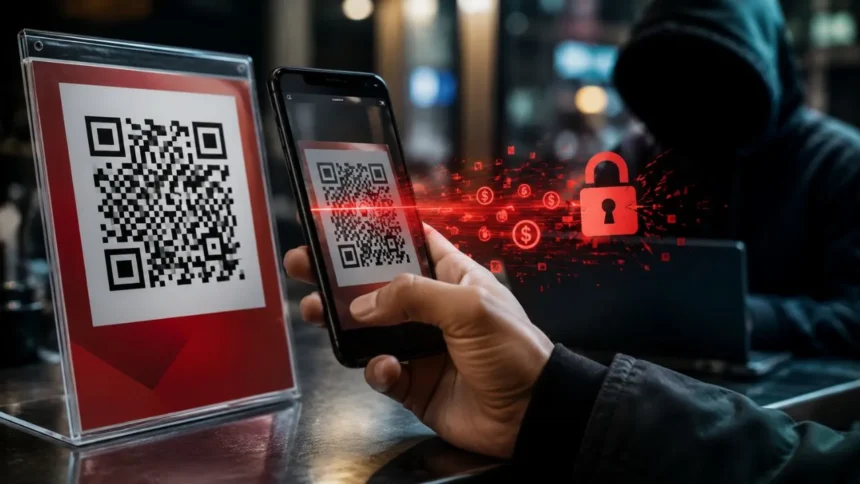
Fake parking-payment codes are placed on parking meters, signs, ticket machines, or payment instructions. A criminal may cover the genuine code with a fraudulent sticker that sends drivers to a copycat payment page. The victim believes they are paying for parking but instead sends their card details and money to a scammer.
Delivery and package scams often claim that a shipment could not be delivered or that a small redelivery fee is required. Similar attacks may involve an unexpected package containing a note and QR code, asking the recipient to scan it to discover who sent the item. The destination may collect personal information or encourage an unsafe download.
Banking, workplace, and account-verification scams use QR codes to imitate security notices. An email may state that suspicious activity was detected, multi-factor authentication needs updating, or a password will expire shortly. The fake login page then records the victim’s username, password, and potentially a temporary verification code.
Other forms include fake restaurant menus, public Wi-Fi codes, cryptocurrency payment requests, utility-payment demands, traffic-violation notices, charity appeals, event tickets, and promotional discounts. The story may change, but the purpose remains similar: creating enough trust or pressure to make someone visit an unverified destination and provide money or valuable information.
Warning Signs of a Malicious QR Code
An unexpected request to scan a code should immediately be treated with caution. Be suspicious when a QR code arrives through an unsolicited email, text message, package, or social media account. Legitimate organisations may use QR codes, but an unexpected code combined with an urgent request deserves independent verification.
Physical tampering is another important warning sign. Examine public QR codes to see whether a sticker has been placed over another code, whether the edges appear raised, or whether the printing looks different from the surrounding sign. A damaged, poorly aligned, or recently added label could indicate that the original code has been replaced.
The destination preview can also reveal problems. Before opening a scanned result, check whether the domain is spelled correctly and belongs to the expected organisation. Watch for extra words, missing letters, unusual subdomains, unfamiliar domain endings, URL-shortening services, and characters that imitate letters from the real company name.
Requests for passwords, banking credentials, card information, cryptocurrency, remote access, or immediate payment are especially concerning. A secure-looking padlock does not prove that a website is legitimate because fraudulent sites can also use encrypted connections. The domain, context, request, and method of contact must all make sense together.
What Can Happen After Scanning a Fake QR Code?
Simply scanning a QR code does not always mean your phone or accounts have been compromised. In many attacks, harm occurs only after the person opens the destination, enters information, grants permissions, downloads a file, or makes a payment. However, you should still avoid continuing when a preview looks unfamiliar or suspicious.
Credential theft is one of the most common risks. A fake login page can capture an email address and password, allowing criminals to access accounts that reuse those credentials. If the compromised email account controls password resets for other services, the attacker may be able to take over several connected accounts.
Financial loss can occur when a fake payment page collects card details or sends money directly to a fraudulent account. Cryptocurrency QR code scams can be particularly damaging because transactions are generally difficult to reverse. Victims may also face unauthorised purchases, account withdrawals, or recurring charges that remain unnoticed for some time.
Malware is another possible risk, especially when the page asks the visitor to install an application, browser extension, configuration profile, or software update. Malicious software may steal information, monitor activity, display unwanted advertisements, or provide access to the device. Modern phones offer security protections, but those protections cannot prevent every action authorised by the user.
How to Check Whether a QR Code Is Safe
Begin by considering where the code came from and why you are being asked to scan it. A QR code displayed inside a trusted company’s official application is generally less suspicious than one received through an unexpected message. Even then, the context should match an action you recently requested or expected.
Use your phone’s built-in camera or trusted QR scanning feature so you can preview the destination before opening it. Read the entire visible web address carefully. The important part is the actual domain, not the company name displayed elsewhere in the link or the familiar logo shown on the webpage.
When a code relates to a bank, delivery service, government department, utility provider, or online account, avoid using the code to respond. Open the organisation’s official application, type its known website into your browser, or use a verified phone number. Check your account independently to determine whether the alert or payment request is genuine.
For physical codes, ask an employee or responsible authority to confirm the correct payment or information method. At a restaurant, request a printed menu when the QR code appears damaged. At a parking location, compare the code with official instructions or use the operator’s established application instead of trusting an unfamiliar sticker.
How to Use QR Codes More Safely
Keep your phone, web browser, and security applications updated. Software updates often correct weaknesses that could otherwise be used by malicious websites or applications. Enable automatic updates where practical, and download apps only from the official store provided for your device rather than from a webpage opened through a QR code.
Use unique passwords for important accounts and store them in a reputable password manager. A password manager may refuse to fill credentials on a fake domain, giving you another warning that the site is not genuine. Unique passwords also prevent one stolen login from providing access to several unrelated services.
Turn on multi-factor authentication for email, banking, social media, and other sensitive accounts. An authenticator application or security key generally provides stronger protection than relying only on a password. Never share a temporary verification code with someone who contacts you, and do not approve unexpected login notifications.
Avoid scanning codes while feeling pressured, distracted, or rushed. Scammers want you to act before thinking, so pausing is one of the most effective security habits. A legitimate organisation should allow you to verify a request through another channel rather than forcing you to scan immediately or threatening instant consequences.
What to Do If You Scanned a Suspicious QR Code
If you scanned the code but did not open the link, provide information, download anything, or approve a request, the immediate risk may be limited. Close the preview and delete the message. You can also report the code to the business, organisation, venue, email provider, or messaging platform where you found it.
If you opened the website but did not enter information, close the page and clear any downloaded files you do not recognise. Review your browser’s download history and your phone’s recently installed applications. Make sure your device is updated, and run a trusted security scan where that option is available.
If you entered a password, change it immediately using the organisation’s official website or application. Change the password anywhere else it was reused, sign out of existing sessions, enable multi-factor authentication, and inspect account activity. Start with your email account because it may be used to reset passwords for other services.
If you provided payment details or sent money, contact your bank, card provider, payment service, or cryptocurrency platform as soon as possible. Ask whether the transaction can be blocked or disputed, and request protection for the affected account. Continue monitoring statements because stolen financial details may be used days or weeks later.
How Businesses Can Prevent QR Code Fraud
Businesses should maintain an accurate record of every QR code used on menus, payment signs, product packaging, advertisements, and customer communications. Each code should have a defined owner and destination. Regular testing makes it easier to detect broken links, unauthorised redirects, altered landing pages, or outdated campaigns.
Physical codes in public places should be inspected frequently for stickers, damage, replacement, or tampering. Designs can include branding, serial numbers, tamper-resistant materials, and instructions explaining the correct destination. These measures cannot guarantee safety, but they can make unauthorised changes easier for employees and customers to notice.
Digital QR codes sent through email should be treated as links by security systems rather than automatically trusted as images. Organisations can train staff to inspect unexpected authentication requests, payment demands, and password-expiry notices. Employees should also know how to report suspicious messages without scanning the code to investigate it themselves.
Customer education is equally important. Businesses should explain whether they use QR codes for payments, what official domains customers should expect, and which information they will never request through a scan. Providing a clear alternative, such as an official application, printed menu, web address, or staffed payment desk, can reduce pressure to trust an uncertain code.
Final Thoughts on Avoiding QR Code Scams
QR codes are useful tools, and most codes people encounter are legitimate. The problem is that their hidden destinations create an opportunity for scammers to disguise unsafe links. Treating every code as harmless can expose your passwords, financial information, personal data, and online accounts to unnecessary risk.
The safest approach is to examine both the code and its surrounding message. Ask whether you expected the request, whether the situation creates unusual urgency, and whether the destination matches the organisation involved. A professional design, familiar logo, or secure connection should never replace verification.
Whenever money, passwords, or sensitive details are involved, access the service independently. Open the official application or type the known website address yourself instead of following the QR code. This small change removes much of the uncertainty and makes it harder for a fraudulent code to control your next action.
QR code safety ultimately depends on slowing down before trusting what appears on your screen. Preview the link, check the domain, avoid unexpected downloads, and verify unusual requests through a separate channel. A few extra seconds of attention can prevent account theft, fraudulent payments, malware infections, and long-term identity problems.
Frequently Asked Questions
Can someone steal my information just by scanning a QR code?
Scanning alone does not usually expose all your information. The greater risk begins when you open a malicious destination, enter details, download software, or grant permissions.
How can I tell whether a QR code is fake?
Check for physical stickers or tampering, preview the destination, and examine the complete domain. Unexpected codes, urgent language, and requests for payment or passwords are major warning signs.
What is quishing?
Quishing is phishing carried out through a QR code. The code hides a malicious link that may lead to a fake login page, fraudulent payment form, or harmful download.
Can a QR code install malware on my phone?
A malicious destination may attempt to persuade you to download malware or install an unsafe application. Avoid downloads from scanned pages and use only official app stores.
Should I stop scanning QR codes completely?
You do not need to avoid every QR code. Scan only codes from credible sources, preview the destination, verify sensitive requests independently, and never submit information to an unfamiliar domain.