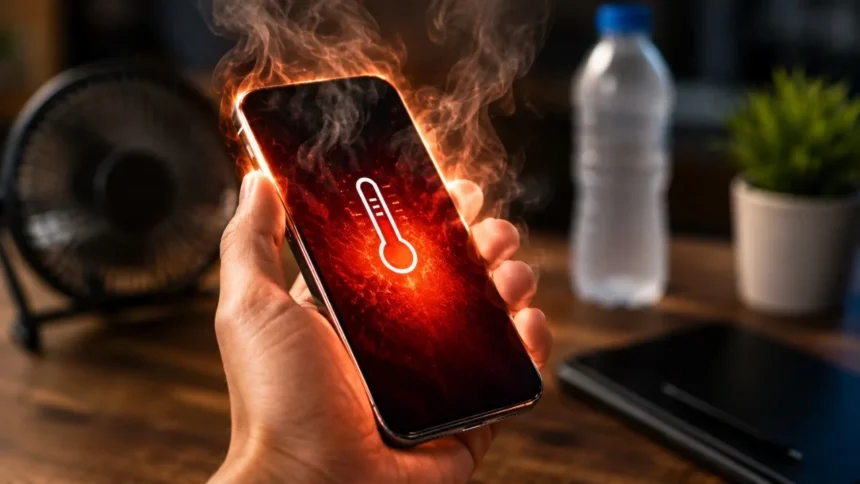
A smartphone can become warm when it is performing demanding work, but there is an important difference between normal warmth and genuine overheating. Brief warmth during charging, gaming, navigation, video recording, data transfer, or initial setup is usually expected. A phone that becomes painfully hot, repeatedly displays temperature warnings, shuts down, or heats up during light use needs attention.
Most phone overheating problems are caused by a combination of processor activity, screen brightness, network use, charging, environmental temperature, and background applications. The phone converts part of the electrical energy it uses into heat, and that heat becomes more noticeable when several demanding activities occur together. A thick case or poorly ventilated location may make the warmth feel more intense.
Modern iPhones and Android phones include thermal protection systems. When internal temperature rises beyond the normal range, the device may lower performance, dim the screen, slow or pause charging, close applications, limit camera functions, enter a reduced-power state, or turn itself off. These actions are protective responses rather than signs that the phone has necessarily failed.
This guide explains why a phone gets hot, which situations are normal, how to cool an overheating smartphone safely, and when professional repair may be required. It also covers phone heating while charging, battery drain, gaming, mobile data, background apps, software updates, battery condition, and brand-specific troubleshooting for iPhone, Google Pixel, and Samsung Galaxy devices.
Quick Answer: Why Does a Phone Get Hot?
Your phone usually gets hot because its processor, graphics hardware, display, cellular modem, camera, or battery is working harder than usual. Video calls, high-resolution recording, mobile gaming, navigation, 5G streaming, hotspot use, large downloads, and cloud restoration can all create additional heat. Using several of these functions simultaneously increases the workload further.
Environmental heat can make the problem much worse. A smartphone left on a car dashboard, beside a window, under direct sunlight, or in a parked vehicle may be unable to release the heat produced by normal operation. Apple recommends using an iPhone in ambient temperatures between 0°C and 35°C and warns that very hot conditions can permanently shorten battery life.
Charging can also make a phone feel warm, especially during fast charging or wireless charging. Heat becomes more noticeable when the device is charging while running a game, navigation app, camera, hotspot, or video call. Samsung and Google advise disconnecting a phone from power and stopping demanding activities when it becomes excessively hot.
If the phone overheats while idle, loses battery rapidly, or remains hot after demanding activities have ended, an application or system process may be stuck in the background. An old or damaged battery, faulty charging accessory, blocked charging port, software issue, or internal hardware problem may also be responsible when ordinary troubleshooting does not resolve the heat.
Is It Normal for a Smartphone to Feel Warm?
A slightly warm phone is not automatically dangerous. Apple states that an iPhone may feel warmer while being set up for the first time, restoring a backup, completing a major software update, charging wirelessly, streaming high-quality video, or running processor-intensive features. The device should normally cool after the activity or background process has finished.
Android phones may also become warm during data migration, application installation, photo indexing, account synchronization, and system optimization. A newly purchased phone can therefore feel warmer and use more battery during its first few days. The device may be downloading applications, restoring files, scanning photographs, updating software, and rebuilding search indexes at the same time.
Warmth is also common around the camera area because the processor and other major components are often located near the top of the phone. During charging, warmth may instead be noticeable near the battery, charging coil, USB port, or power-management components. The location of the heat can vary according to the phone’s internal design.
Normal warmth should gradually disappear after the workload ends. Overheating is more concerning when the device is too uncomfortable to hold, produces a temperature warning, repeatedly pauses charging, shuts applications, dims the screen, restarts, turns off, smells unusual, or develops a lifting screen or back cover. Those symptoms require immediate cooling and closer investigation.
The Most Common Causes of Phone Overheating
High screen brightness is a common contributor because the display uses energy continuously while it is illuminated. Maximum brightness, a high refresh rate, an Always-On display, extended screen timeout, and hours of video playback can collectively increase power use. The effect becomes stronger outdoors, where automatic brightness may raise the display close to its highest level.
Background applications are another frequent cause. Social media platforms, navigation tools, cloud storage services, email clients, fitness apps, and messaging services may continue synchronizing, uploading, downloading, or requesting location data after leaving the screen. A malfunctioning application can also keep the processor active and cause both unusual heat and rapid battery drain.
Network activity creates heat through the cellular and wireless radios. Weak reception forces the phone to work harder to maintain a connection, while 5G streaming, tethering, large file transfers, and video calls add sustained demand. Google specifically identifies video calls, media playback over Wi-Fi or 5G, prolonged navigation, and resource-heavy use while charging as possible causes of Pixel warmth.
Physical surroundings also matter. Direct sunlight, hot vehicles, closed bags, blankets, pillows, and other poorly ventilated spaces prevent heat from escaping. Apple, Google, and Samsung all advise keeping phones away from direct sunlight and excessive environmental heat. A device that operates normally indoors may overheat quickly when the same workload is performed outside on a hot day.
Why Is My Phone Overheating While Charging?
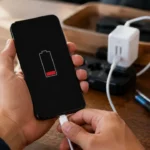
Charging naturally creates some heat because energy is being transferred into the battery and regulated by internal power-management components. Fast charging delivers more power over a shorter period, while wireless charging may make the phone and charging surface feel warm. Moderate warmth is usually normal when the charging process continues without a thermal warning.
The phone may become considerably hotter when it is actively used during charging. Gaming, recording video, using navigation, running a hotspot, making a video call, or downloading large files requires power while the battery is simultaneously receiving power. Google advises stopping resource-intensive features during charging when a Pixel is becoming too warm.
A damaged, incompatible, or low-quality charger can also create charging problems and excess heat. Apple says damaged cables or chargers may cause injury or device damage and recommends charging accessories that meet applicable safety standards. Samsung similarly recommends approved charging equipment and checking the cable or charging port when abnormal heating continues.
When using a wireless charger, make sure the phone is correctly aligned and remove keys, coins, cards, magnetic accessories, or metal objects between the phone and charging surface. Charge on a hard, flat, ventilated surface rather than a bed, sofa, pillow, or blanket. Apple specifically advises keeping the phone and charging equipment well ventilated while connected to power.
Can Apps and Software Updates Make a Phone Hot?
Yes, an application can make a phone overheat when it continuously uses the processor, location sensor, camera, microphone, mobile data, or background synchronization. The application may be behaving normally because of an intensive task, or it may have developed a software problem. Reviewing battery usage can help identify an app consuming an unusually large amount of power.
Open the Battery section in your phone’s settings and examine usage by application. Compare the percentage consumed with how long you actually used each app. A navigation app may reasonably rank highly after a long journey, but an application you barely opened should not normally dominate the report or remain active for hours in the background.
Operating-system and application updates can temporarily increase phone temperature. Apple identifies major software updates as one of the situations in which an iPhone may feel warm. Samsung also lists system or firmware updates among the normal causes of additional heat because the phone may be installing files, optimizing applications, and completing background tasks.
Restart the phone and install any remaining operating-system or app updates when overheating starts suddenly. Do not immediately perform a factory reset after one warm day following an update. Allow background optimization to finish unless the device is producing a serious temperature warning, becoming too hot to touch, swelling, repeatedly shutting down, or showing other signs of physical failure.
Gaming, Cameras, Streaming and Navigation
Mobile games can heavily use the processor, graphics hardware, memory, display, speakers, network connection, and touch controls simultaneously. High frame-rate settings, maximum graphics quality, full brightness, and online multiplayer increase the demand. The phone may become warmer as the cooling system attempts to move heat away from the processor and through the device’s frame.
Long camera sessions can create similar conditions. Recording 4K or high-frame-rate video requires the camera sensor, image processor, storage, display, and stabilization systems to work continuously. Direct sunlight adds environmental heat, which is why extended outdoor filming can trigger a temperature warning even when the phone behaves normally during shorter indoor recordings.
Navigation combines GPS, cellular data, screen brightness, map rendering, and continuous location calculations. The phone may also be mounted near a sunny windshield and connected to a charger at the same time. Apple specifically warns that prolonged navigation, gaming, or camera use in hot conditions or direct sunlight can affect device performance.
Streaming high-resolution media can also make the phone warm, particularly over a weak 5G connection. Reduce video quality, screen brightness, game graphics, frame rate, or recording resolution when heat becomes uncomfortable. Taking short breaks during long sessions allows the phone to release accumulated heat and can also reduce battery consumption.
Weak Signal, 5G and Mobile Hotspot Heat
A weak cellular signal can contribute to smartphone overheating because the modem repeatedly works to establish and maintain a reliable connection. The effect may occur in elevators, basements, remote areas, crowded venues, concrete buildings, and locations at the edge of network coverage. Battery drain often increases at the same time.
5G itself does not mean that a phone will always overheat, but sustained high-speed data activity can increase energy use. Downloading large files, uploading videos, streaming high-resolution content, or making long video calls over mobile data places more demand on the modem and processor than leaving the phone connected but inactive.
Mobile hotspot use is particularly demanding because the phone maintains a cellular data connection while sharing that connection through Wi-Fi. It may also be connected to several devices and charging simultaneously. Samsung recommends disconnecting mobile hotspot or tethering when it is no longer required as part of its overheating guidance.
Use reliable Wi-Fi when available, especially for backups, application downloads, video calls, and large file transfers. In an area with no usable signal, Airplane Mode can stop continuous network searching when you do not require calls or mobile data. Turn the hotspot off after use and avoid placing a working phone inside an enclosed bag or pocket.
How to Cool Down an Overheating Phone Safely
Stop gaming, filming, navigating, streaming, tethering, or performing any other demanding task. Disconnect the charging cable or remove the phone from the wireless charger. Google’s current guidance is to move an excessively hot Pixel to a cooler place and avoid using it until it has cooled. Samsung provides similar advice for Galaxy devices.
Move the phone indoors or into shade and place it on a hard, dry surface with ventilation. Remove the case when it appears to be trapping heat, particularly if it is thick or not designed for the phone. Samsung recommends temporarily removing the case to improve airflow when a device becomes excessively warm.
Lower the display brightness and turn off unneeded hotspot, GPS, Bluetooth, Wi-Fi, or mobile-data activity. These steps are temporary cooling measures rather than rules that must be followed permanently. Keep essential connectivity enabled when you need emergency communication, navigation, medical monitoring, authentication, or important messages.
Allow the phone to cool gradually. Do not continue using it simply because the display still responds, and do not cover it with clothing or bedding. When an iPhone displays a temperature warning, Apple recommends turning it off, moving it away from direct sunlight, and allowing it to cool before resuming normal use.
Settings That Can Reduce Smartphone Heat
Begin with screen settings because they are easy to change and immediately reduce power demand. Enable automatic brightness or lower brightness manually, shorten the screen timeout, and disable the Always-On display when it is not valuable to you. On supported phones, switching from the highest refresh rate to a standard mode may also reduce energy use and heat.
Review battery usage and restrict only applications showing unnecessary background activity. Avoid disabling every background process because messaging, backups, email, security apps, health services, and connected accessories may depend on them. Samsung recommends monitoring Battery Usage and testing Safe Mode when a third-party app is suspected of causing repeated overheating.
Remove applications and files you no longer need, update remaining apps, and restart the phone. Samsung recommends keeping system software and applications updated because updates may include efficiency, compatibility, and stability improvements. A restart can also end a temporary process that has remained active longer than expected.
Use Battery Saver, Low Power Mode, or the manufacturer’s device-optimization feature when necessary. These modes may limit processing, background activity, display behavior, or synchronization. They are especially useful during travel or hot weather, but they should not be required continuously on a new phone performing only basic tasks.
Why Is My iPhone Overheating?
An iPhone may feel warm during initial setup, iCloud restoration, software updates, wireless charging, gaming, high-quality streaming, and extended camera use. Apple describes these conditions as normal when no temperature warning appears and the phone cools after the process finishes.
If an iPhone becomes too warm, iOS may slow or stop charging, dim or turn off the display, weaken cellular transmission, disable the camera flash, reduce frame rates, or increase processing times. These changes are part of the phone’s built-in temperature management and should reverse after the device returns to an acceptable temperature.
Open Settings > Battery to inspect application activity and battery usage. Update iOS and installed applications, restart the device, reduce brightness, and remove it from direct sunlight. When a “Charging On Hold” message appears, charging should resume after the phone returns to a normal temperature.
If the iPhone shows a full temperature warning, turn it off and move it to a cooler environment. Stop using it if the device or battery appears physically damaged. Apple states that suspected battery damage can cause overheating or injury and recommends trained service rather than attempting to open or repair the battery yourself.
Why Is My Android Phone Overheating?
Android phones can heat up for the same basic reasons as iPhones: demanding applications, bright displays, background processes, weak network signals, charging, direct sunlight, and software optimization. Menu names differ by manufacturer, but most Android devices provide battery-usage details under Settings > Battery or Battery and device care.
On a Google Pixel, stop heavy activities such as video calls, prolonged navigation, camera recording, high-quality streaming, and resource-intensive use while charging. Google also recommends reducing display brightness, using Wi-Fi where practical, keeping the phone out of enclosed spaces, and moving it away from external heat.
On a Samsung Galaxy phone, close unnecessary demanding apps, reduce brightness, disconnect the hotspot, remove the case temporarily, check the charger, update the software, and restart the device. Samsung Members and Battery Usage can help identify abnormal consumption, while Safe Mode can help determine whether an installed third-party app is responsible.
If an Android phone displays an overheating warning or automatically powers off, leave it unused until it cools. Pixel phones may enter a low-power state or shut down when temperature continues rising, while Galaxy phones may dim the display, pause charging, close apps, slow performance, or power off to protect internal components.
Can Overheating Damage the Battery?
Repeated exposure to high temperature can accelerate battery aging and reduce the amount of energy the battery can store. Apple warns that using an iPhone in very hot conditions can permanently shorten battery life. Google recommends charging Pixel phones in a cool environment and limiting prolonged exposure to temperatures above 35°C.
Heat and battery drain often appear together because batteries discharge more quickly when the device is working hard. The processor, display, modem, and camera consume more energy, while the phone may also use additional power to manage the workload. Persistent unexplained heat can therefore be both a cause and a symptom of poor battery performance.
Thermal controls reduce immediate risk by limiting performance or charging, but they cannot reverse chemical battery aging. If an older phone becomes hot during basic use and its charge falls rapidly, review the battery-health information available from the manufacturer. A degraded battery may need replacement rather than more aggressive software restrictions.
A swollen battery may lift the display or back panel and expose the battery to accidental damage. Google advises users not to press a lifted screen back into position, pry open the device, attempt a self-repair, or place the phone in household waste. Repair or approved recycling should be arranged instead.
When Is Phone Overheating Dangerous?
Stop using the phone when it is too hot to touch comfortably, repeatedly shuts down, produces smoke, releases an unusual smell, makes hissing sounds, leaks, or has a visibly swollen battery. A screen or rear cover separating from the frame can indicate internal swelling and should not be treated as a cosmetic problem.
Damage after a fall, puncture, crushing incident, liquid exposure, or improper repair also requires caution. Apple advises discontinuing use when damage to the iPhone or battery is suspected because continued operation may cause overheating or injury. Battery service should be carried out by a trained technician.
Persistent overheating during standby, calls, messaging, or other light use may indicate a software fault, battery problem, charging-port issue, or damaged internal component. Samsung recommends contacting support when overheating continues after software updates, Safe Mode testing, battery-usage checks, charger inspection, and normal cooling steps.
Back up important information when it is safe to operate the phone, then arrange professional inspection. Do not dismantle a hot or swollen device, pierce the battery, bend the phone, or force the casing closed. Use a manufacturer-authorized provider or an appropriately qualified technician who can handle lithium-ion batteries and restore seals correctly.
How to Prevent Your Phone from Overheating Again
Keep the device away from direct sunlight, parked vehicles, heat sources, and enclosed spaces. During hot weather, avoid placing it on a dashboard while simultaneously navigating and charging. Move it into shade when recording outdoors, and do not leave it inside a closed bag after heavy gaming or filming.
Use a compatible charger and replace frayed cables, damaged adapters, or charging accessories that behave unusually. Charge on a stable, hard surface with good ventilation. When wireless charging, remove interfering metal objects and confirm that the phone is correctly positioned on the charging surface.
Keep software and applications updated, regularly review battery usage, and uninstall apps you no longer need. Moderate screen brightness, turn off an unused hotspot, and use Wi-Fi for heavy transfers where reliable service is available. These small changes reduce unnecessary workload without removing the useful features you purchased the phone to use.
Finally, respond to warning signs early. A phone that repeatedly becomes hot during ordinary use should not be ignored until the battery fails. Promptly checking apps, charging equipment, battery health, physical condition, and manufacturer diagnostics can prevent a manageable software problem from becoming a more expensive repair.
Final Verdict
A phone becomes warm when it is processing information, moving data, powering a bright display, using its cameras, maintaining network connections, or charging its battery. Temporary warmth during demanding use is generally normal, especially if the device cools soon afterward and does not display a thermal warning.
The best immediate response to excessive heat is to stop demanding activities, disconnect the charger, move the phone away from sunlight, remove a heat-trapping case, and leave it unused on a ventilated surface. Do not keep gaming, filming, navigating, or charging while the phone is attempting to cool.
Once the temperature returns to normal, inspect battery usage, update the software and applications, restart the device, reduce unnecessary background activity, and check the charger. Frequent overheating during light use suggests that the problem is not simply caused by a demanding workload.
Seek professional help when the phone is too hot to touch, repeatedly shuts down, will not charge normally, has suffered physical damage, or shows signs of battery swelling. Software settings can reduce ordinary heat, but they cannot repair a damaged battery or unsafe internal component.
Why does my phone overheat when I am not using it?
A background app, cloud backup, software optimization, poor mobile signal, or faulty system process may be active while the screen is off. Check Battery Usage to identify unusual background consumption and restart the phone.
Why does my phone get hot while charging?
Charging creates some normal warmth, but heat increases when gaming, streaming, navigating, or using a hotspot at the same time. Disconnect the charger if the device becomes excessively hot and verify that the cable and adapter are compatible.
Can a phone case cause overheating?
A case does not usually create the heat, but a thick or poorly fitted cover may slow heat release during demanding use. Temporarily remove it when the phone is excessively warm and use a case designed for the specific device.
Is it safe to use an overheating phone?
Stop using it when it produces a temperature warning, becomes too hot to hold, pauses charging repeatedly, shuts down, or shows physical damage. Move it to a cooler area and allow it to cool naturally before resuming use.
When should I replace my phone battery?
Consider battery service when overheating occurs with rapid battery drain, unexpected shutdowns, poor charging, reduced battery-health status, or physical swelling. A damaged or swollen battery should be inspected by a qualified repair provider.