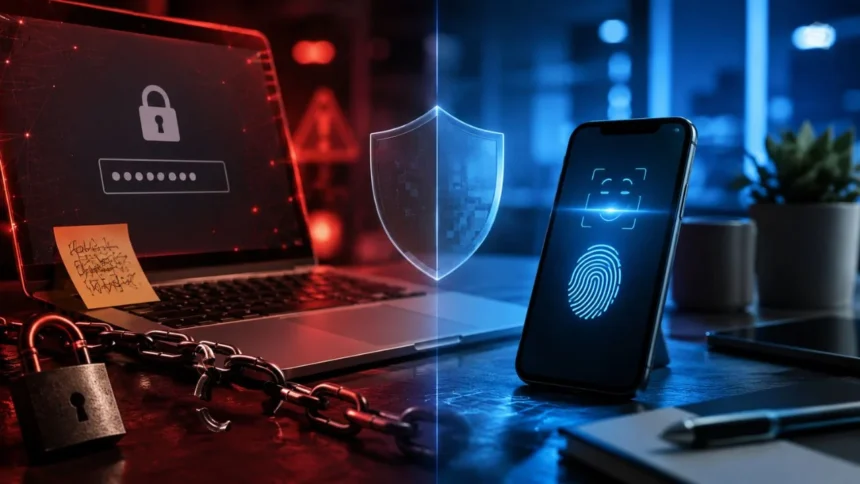
Passwords have protected online accounts for decades, but they have also become one of the weakest parts of digital security. People forget them, reuse them across websites or choose combinations that attackers can easily guess. Even a strong password can be exposed through phishing, malware, a data breach or a convincing fake login page.
Passkeys are designed to solve many of these problems by replacing typed secrets with cryptographic authentication. Instead of remembering a password, you confirm your identity using the screen lock already protecting your phone, tablet or computer. This may involve facial recognition, a fingerprint, a device PIN or a physical security key.
The key difference is that a password is a secret you know and send to a website, while a passkey uses a private digital key that remains protected by your device or credential manager. Because the private key is not typed into a website, criminals cannot steal it through an ordinary phishing form or reuse it on another service.
So, in the passkeys vs passwords comparison, passkeys are generally safer for most people and most online accounts. However, they are not completely risk-free, and their effectiveness still depends on device security, account recovery and proper implementation. Understanding these details will help you decide when to use passkeys and how to use them securely.
The Quick Answer: Are Passkeys Safer Than Passwords?
Passkeys are generally safer than passwords because they are resistant to common attacks such as phishing, password guessing and credential stuffing. Each passkey is created specifically for one website or application, so it cannot be reused to access another service. This removes several security weaknesses that affect traditional passwords.
A passkey also avoids the need to send a reusable secret over the internet. The website stores a public key, while the matching private key remains on your device or inside a protected passkey provider. During login, your device proves that it holds the correct private key without revealing the private key itself.
Passwords can still offer reasonable protection when they are long, unique and stored in a trusted password manager. Adding strong multifactor authentication makes them safer. However, passwords remain vulnerable to fake websites because a person can still be tricked into typing the correct password and verification code into a fraudulent login form.
Passkeys reduce this human vulnerability because the credential is linked to the legitimate website. A fake website cannot normally request and use a passkey created for the real domain. For most everyday users, this phishing resistance makes passkeys a meaningful security improvement rather than simply a more convenient login option.
What Is a Password and How Does It Protect an Account?
A password is a secret combination of letters, numbers or symbols used to prove that someone has permission to access an account. When you sign in, the website checks whether the entered password matches the protected password record associated with your username. If it matches, the website allows you to continue.
Responsible websites should not store passwords as readable text. They normally process passwords using a one-way cryptographic function and store the resulting value. However, poor security practices, outdated systems or weak hashing methods can still allow attackers to recover some passwords after stealing a website’s authentication database.
The greatest password weakness is often human behaviour rather than the technology itself. People may choose short passwords, include personal details or use the same login credentials across multiple accounts. When one website is breached, criminals can test the stolen email address and password combination against banking, shopping, social media and cloud accounts.
Passwords also require users to recognise whether a login page is genuine. A fake website can closely copy the design of a real service and ask for the victim’s username, password and authentication code. Once this information is submitted, the attacker may use it immediately to access the real account.
What Is a Passkey and How Does It Work?
A passkey is a passwordless authentication credential based on public-key cryptography and industry standards such as FIDO2 and WebAuthn. When you create one, your device generates two mathematically connected keys. One is a public key that the website receives, while the private key remains protected by your device or passkey manager.
When you sign in, the website sends a unique cryptographic challenge to your device. After you unlock the passkey using a fingerprint, facial recognition, PIN or another approved method, the device signs that challenge with the private key. The website then uses the public key to confirm that the response is genuine.
The private key is not revealed to the website during registration or login. It is also not something you need to see, remember or manually type. This makes passkey authentication easier for users while reducing the opportunity for attackers to steal reusable login information through fake websites or deceptive messages.
Passkeys may be stored locally on one device, saved on a hardware security key or synchronised through a trusted credential manager. A synced passkey can become available across compatible devices connected to the same protected account. A device-bound passkey remains on a particular device or physical security key.
Why Passwords Create So Many Security Problems
Password reuse is one of the most common account security problems. Remembering a different complex password for every website is difficult, so many people repeat the same password with small changes. If one service suffers a data breach, criminals can use automated tools to test those credentials against hundreds of other services.
Weak passwords can also be guessed through automated attacks. Attackers may test common words, keyboard patterns, names, dates and previously leaked passwords. Adding predictable changes such as replacing a letter with a number may not provide much protection because password-cracking tools already understand these common habits.
Even an exceptionally strong password can be stolen through phishing. The attacker does not need to calculate or guess the password when a convincing message persuades the account owner to enter it voluntarily. Realistic phishing pages may also request one-time codes, allowing criminals to bypass some forms of traditional two-step verification.
Password management creates additional frustration for users and businesses. Forgotten passwords lead to repeated resets, support requests and weak recovery questions. People may save credentials in unprotected notes, share them through messages or enter them into public computers, increasing the number of ways an attacker can gain access.
Why Passkeys Are More Resistant to Phishing
Passkeys are connected to the website or application for which they were created. When a criminal builds a fake login page using a slightly different domain, the browser or operating system will not normally provide the legitimate passkey. The credential cannot simply be copied into the fraudulent form like a password.
This protection is especially important because modern phishing websites can look almost identical to legitimate services. Attackers can copy logos, colours, layouts and security messages within minutes. Passkeys reduce dependence on a person noticing a misspelled domain or recognising subtle design differences before entering sensitive information.
Passkeys also prevent attackers from tricking users into revealing the credential over the telephone, email or text message. There is no readable passkey that a legitimate company can ask you to provide. Anyone requesting that you send, type or read out a passkey is misunderstanding the technology or attempting a scam.
However, criminals can still use social engineering in other ways. They may try to persuade someone to approve an unexpected action, install remote-access software or enter an account recovery process. Passkeys close a major phishing route, but users must still be cautious about unusual prompts and urgent security messages.
Can Passkeys Be Guessed, Reused or Stolen in a Data Breach?
A properly generated passkey is not chosen by the user, so it cannot be guessed using names, birthdays, common phrases or previously leaked credentials. The cryptographic key is created with sufficient randomness by the device or authentication system. This makes traditional password guessing and dictionary attacks ineffective against passkeys.
Every passkey is also unique to the account and service where it was created. A passkey used for an email account cannot be reused to enter a banking or social media account. This design prevents credential-stuffing attacks, which depend on people using the same password across multiple websites.
When a website storing passkey public keys experiences a data breach, the exposed public keys do not normally allow criminals to impersonate users. The attacker would still need the corresponding private key. This differs from a password database breach, where weak or reused passwords may eventually be recovered and tested elsewhere.
A website breach can still create other risks, including the theft of personal information, active session tokens or account recovery data. Passkeys do not protect every part of an online service. Their main advantage is that stealing the website’s public-key record does not provide a reusable login secret equivalent to a stolen password.
Does a Passkey Send Your Fingerprint or Face to a Website?
A passkey does not normally send your fingerprint, facial scan or device PIN to the website you are visiting. Your biometric information is used locally by the device to confirm that you are authorised to unlock the private key. The website receives only a signed cryptographic response proving that authentication succeeded.
This distinction is important because the passkey and the biometric method are not the same thing. The passkey is the cryptographic credential used to authenticate with the online service. Your fingerprint, face or PIN is the local method used to unlock that credential on your phone, laptop or security device.
Websites generally do not learn which finger you used, what your face looks like or what your device PIN is. They receive confirmation that the device successfully verified its user according to the authentication requirements. The exact local verification information remains controlled by the operating system or authentication provider.
People who do not want to use biometrics can often unlock passkeys with a secure device PIN, password or physical security key instead. Available options depend on the device, operating system and passkey provider. The safety of the passkey still relies partly on choosing a strong screen lock and protecting the device from unauthorised access.
Are Passkeys Completely Secure?
Passkeys are safer than passwords against many remote attacks, but no authentication method can guarantee complete security. Someone who steals an unlocked phone or learns its device PIN may be able to access passkeys stored on it. Strong screen-lock settings and quick reporting of lost devices remain important.
Malware running with extensive control over a device may also capture information, hijack an authenticated session or perform actions after the user signs in. A passkey can protect the login credential itself without making the entire device immune to spyware, remote-access tools or malicious browser extensions.
Weak account recovery can reduce the security benefits of passkeys. A criminal may avoid attacking the passkey and instead select “I lost my device” or another recovery option. When a service allows recovery through easily stolen personal information or weak email security, the attacker may bypass the stronger login method.
Implementation quality also matters. Websites should manage passkey registration, deletion, recovery and user notifications carefully. Users should be able to review which devices or providers hold passkeys and remove credentials they no longer use. Passkeys provide strong technology, but secure account management is still necessary around that technology.
Synced Passkeys vs Device-Bound Passkeys
Synced passkeys are stored through a credential manager and made available on compatible devices linked to the same protected account. This approach provides convenience because replacing a phone does not necessarily mean losing access to every passkey. The credential can be restored after securely signing in to the passkey provider.
The security of synced passkeys depends partly on the account used for synchronisation. That provider account should have a strong recovery process, secure devices and robust authentication. Anyone who gains full access to the credential manager may gain access to the passkeys it stores, making protection of the main provider account essential.
Device-bound passkeys remain on one device and are not automatically synchronised through the cloud. They may be stored inside secure hardware on a computer, phone or physical FIDO security key. This can provide stronger control over where the private key exists, which may be valuable for businesses and high-risk users.
The disadvantage is that a device-bound passkey can be lost when the device fails, is wiped or goes missing. Users may need backup authenticators, an additional security key or a carefully designed recovery method. Synced passkeys usually prioritise convenience, while device-bound credentials may provide tighter control for sensitive accounts.
What Happens to Your Passkeys If You Lose Your Phone?
Losing a phone does not necessarily mean losing every passkey. When passkeys are synchronised through a credential