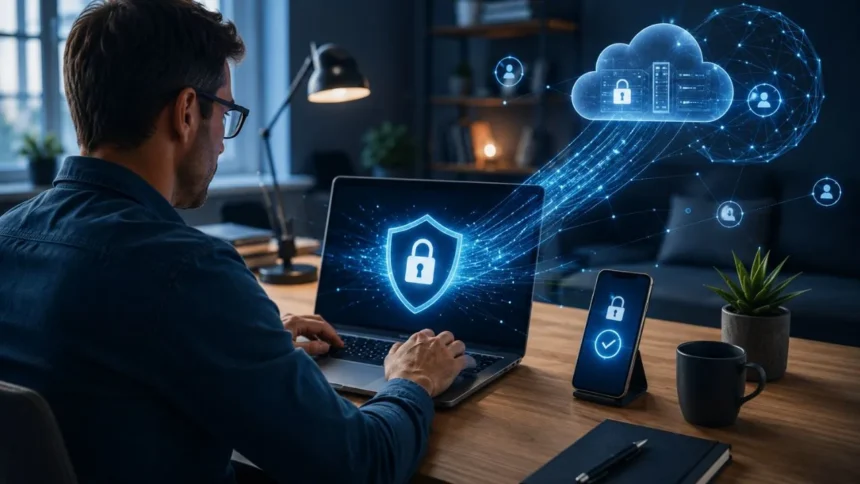
Remote access allows employees, contractors and IT teams to connect to company systems from almost anywhere. It supports flexible work, faster technical assistance and access to cloud-based resources. However, every remote connection can also become an entry point for attackers when accounts, devices or remote access tools are not properly protected.
Cybercriminals frequently target remote desktop services, virtual private networks, stolen login credentials and remote monitoring software. Once inside, an attacker may access confidential information, install ransomware or move between connected systems. A single compromised account can therefore create risks that extend far beyond the employee or device originally affected.
Effective remote access security is not based on one product or setting. It combines identity verification, secure devices, limited permissions, encrypted connections and continuous monitoring. Organisations must also understand which people, applications and third parties can connect remotely, as unknown or forgotten access can remain available for attackers to exploit.
This guide explains practical remote access security best practices for businesses and remote workers. It covers multi-factor authentication, VPN protection, zero-trust access, Remote Desktop Protocol security, endpoint management and incident response. The goal is to make remote work safer without introducing unnecessary obstacles that reduce productivity.
What Is Remote Access Security?
Remote access security refers to the policies, technologies and controls used to protect connections made from outside an organisation’s normal workplace. These connections may involve employees accessing company applications, technicians controlling computers or vendors maintaining business systems. The security process determines who can connect, what they can access and under which conditions.
Common remote access technologies include virtual private networks, virtual desktop infrastructure, cloud application portals and Remote Desktop Protocol. Businesses may also use zero-trust network access, remote monitoring and management tools or browser-based support platforms. Each method provides different benefits, but every method must be configured and monitored carefully.
A secure connection should verify both the user and the device before granting access. It should protect information while it travels across the internet and limit the user to the resources needed for their role. Security controls should continue evaluating the session instead of assuming that one successful login makes every later action trustworthy.
Remote access protection also includes what happens before and after the connection. The organisation must secure the endpoint, update software, monitor account activity and prepare for potential incidents. Without these supporting controls, even an encrypted connection may provide an attacker with a protected route into valuable business systems.
Why Remote Access Creates Security Risks
Traditional office networks were often designed around a physical boundary. Employees worked on company-managed computers connected to internal systems from known locations. Remote and hybrid work have weakened that boundary because users now connect from home networks, personal devices, hotels, airports and other environments the organisation does not directly control.
Attackers can steal remote access credentials through phishing emails, fake login pages, malware and password reuse. When an organisation relies only on usernames and passwords, one successful theft may provide immediate access. Automated tools can also test large numbers of leaked passwords against remote services until they find a working combination.
Remote access software can be abused even when the software itself is legitimate. Criminals may trick an employee into installing a support tool or compromise an existing administrative account. Because remote management applications are designed to control computers, their features can help an attacker transfer files, run commands and remain connected.
Misconfiguration creates another major risk. Exposed RDP ports, outdated VPN appliances and excessive permissions can turn a useful service into an attack path. The danger grows when organisations do not maintain an inventory, making it difficult to identify abandoned accounts, unauthorised tools or remote services that should no longer be accessible.
Create a Clear Remote Access Security Policy
A remote access security policy should explain who is permitted to connect to organisational systems and which methods they must use. It should cover employees, contractors, vendors, managed service providers and temporary workers. Clear rules reduce uncertainty and prevent teams from creating unofficial access methods simply because an approved option is inconvenient.
The policy should identify which devices are acceptable for remote work. Some organisations allow only company-managed endpoints, while others permit personal devices that meet specific security requirements. Minimum controls may include supported operating systems, encryption, screen locks, endpoint protection, automatic updates and the ability to remove business data remotely.
Access rules should reflect the sensitivity of the resource. Reading a general company announcement does not require the same protection as accessing financial records or administering a production server. Stronger controls should be applied to privileged accounts, confidential information, critical infrastructure and systems that could cause significant disruption if compromised.
Review the policy regularly as technology, staffing and business risks change. New cloud services, mergers, contractors or remote support platforms can introduce access that was not considered in the original document. A policy remains useful only when it reflects how people actually work and is supported by practical technical controls.
Maintain an Inventory of Remote Access Tools
Organisations cannot protect remote access systems they do not know exist. Create an inventory of VPN gateways, RDP services, remote support applications, cloud portals and virtual desktops. Include the system owner, purpose, approved users, software version, authentication method and the business resources each tool can reach.
The inventory should also cover portable remote administration tools that can run without formal installation. Attackers sometimes use legitimate remote management software because it may appear less suspicious than traditional malware. Application controls and endpoint monitoring can help identify unauthorised tools, including programs launched from temporary folders or removable media.
Review remote access accounts alongside the technology inventory. Remove accounts belonging to former employees, expired contractors and vendors who no longer provide services. Dormant accounts are particularly dangerous because their legitimate owners may not notice unusual activity, allowing an attacker to remain connected for an extended period.
Assign responsibility for every approved platform. Someone should be accountable for patching, reviewing permissions, monitoring activity and confirming whether the service remains necessary. When ownership is unclear, important updates and security alerts may be ignored because each team assumes another department is handling them.
Require Multi-Factor Authentication
Multi-factor authentication requires users to provide more than one form of identity verification. An employee might enter a password and then use a security key, passkey or authenticator application. This additional step can prevent a stolen password from becoming an immediate route into email, VPN services or company systems.
Apply MFA to every remote access method whenever the technology supports it. Prioritise VPN connections, cloud administration portals, remote desktops, email accounts and privileged users. An attacker who controls an employee’s email may reset passwords or impersonate the person, making email protection an essential part of the remote security strategy.
Phishing-resistant methods provide stronger protection than verification codes that users can type into fake websites. Passkeys and hardware security keys use cryptographic checks connected to the legitimate service. They reduce the possibility that an employee will accidentally give an attacker both a password and the additional authentication factor.
Organisations that cannot immediately deploy phishing-resistant authentication should still use the strongest available MFA. Authenticator applications are generally preferable to relying only on text messages. Regardless of the method, employees should be trained to reject unexpected authentication prompts and report repeated requests they did not initiate.
Strengthen Password and Account Security
Remote accounts should use unique passwords that are not reused across personal and business services. Credential-stealing attacks become much more damaging when one password opens several systems. A company-approved password manager can create and store long credentials while reducing the temptation to use predictable variations of the same password.
Default usernames and passwords should be changed before a system becomes accessible. Attackers know the standard credentials used by many routers, appliances and remote management products. Leaving these settings unchanged can allow unauthorised access without requiring sophisticated hacking techniques or detailed knowledge of the organisation.
Account lockout or rate-limiting controls can slow password-guessing attacks. Security teams should monitor repeated failures, unusual geographic locations and successful logins after several rejected attempts. A single failed password may be an ordinary mistake, but a pattern across many accounts can indicate password spraying or automated credential testing.
Separate normal user accounts from administrator accounts. Employees with elevated responsibilities should use privileged credentials only when performing authorised administrative work. This separation reduces the opportunity for malware or a compromised browsing session to gain powerful permissions through an account that is used for everyday activities.
Follow the Principle of Least Privilege
Least privilege means giving each user only the access required to complete their job. A remote employee who needs one application should not automatically receive access to the entire internal network. Limiting access reduces the information and systems an attacker can reach after compromising a legitimate account.
Permissions should reflect the user’s role, location, device and current task. Temporary workers may require access for a limited project, while IT administrators may need elevated permissions during a maintenance window. Time-limited approval prevents powerful access from remaining active simply because no one remembered to remove it.
Review access rights at regular intervals and whenever someone changes roles. Employees often accumulate permissions as they move between teams, creating unnecessary access that no longer supports their responsibilities. Managers and system owners should confirm that each permission remains justified instead of approving account lists without examining them.
Privileged access management can provide additional protection for administrator credentials. It may store sensitive passwords securely, require approval for high-risk actions and record privileged sessions. These controls improve accountability and reduce the need to share permanent administrator passwords between employees, vendors or support teams.
Consider a Zero-Trust Access Model
A zero-trust approach does not automatically trust a connection because it comes from a familiar network or authenticated account. Each request is evaluated using information about the user, device, resource and current risk. Access is granted to specific applications instead of providing broad entry to everything behind the company firewall.
Zero-trust network access can reduce the exposure created by traditional remote connections. Users connect to approved resources through an identity-aware service, while internal systems remain less visible to the wider internet. This application-level approach can make it harder for an attacker to discover and move towards unrelated servers.
Device health can become part of the access decision. A company may block or limit connections from devices that lack encryption, security updates or endpoint protection. A compliant device might receive normal access, while an unknown or risky device is required to complete additional verification or use a restricted environment.
Zero trust is not a single product that can be installed overnight. It is a security model requiring accurate identities, device visibility, access policies and monitoring. Organisations can begin gradually by protecting high-value applications, reducing broad network access and requiring stronger verification for sensitive actions.
Secure VPN Connections Properly
A virtual private network creates an encrypted connection between a remote device and an organisation’s network or service. Encryption protects information from casual interception on untrusted networks. However, a VPN does not confirm that the connecting user, device or activity is safe unless other security controls are applied.
Keep VPN gateways, clients and network appliances fully updated. Internet-facing security devices are attractive targets because a successful compromise may provide access to many internal resources. Organisations should monitor vendor alerts and apply critical patches quickly rather than treating the VPN appliance as a system that rarely needs attention.
Require MFA for every VPN account and disable outdated encryption protocols. The VPN should use current, supported configurations and trusted certificates. Split tunnelling decisions should be based on risk because allowing some traffic to bypass organisational inspection can reduce visibility, while sending everything through the VPN may affect performance.
Limit what users can reach after connecting. A VPN should not automatically provide unrestricted access to every server, department and administrative interface. Network segmentation, firewall rules and identity-based access controls can restrict remote users to approved resources while preventing unnecessary movement across the internal environment.
Protect Remote Desktop Protocol
Remote Desktop Protocol allows a user to control a Windows computer through a network connection. It is useful for administration and remote work, but poorly secured RDP is frequently targeted. Directly exposing an RDP service to the public internet can invite automated scanning, password guessing and exploitation attempts.
Avoid public RDP exposure whenever possible. Place remote desktop services behind an approved VPN, secure gateway or zero-trust access platform. Restrict connections to authorised users and devices, close unused ports and remove RDP access from systems that do not have a genuine operational need for it.
Enable Network Level Authentication and multi-factor authentication where supported. Network Level Authentication requires the user to authenticate before a complete desktop session is created, reducing unnecessary resource exposure. MFA adds protection when an attacker has obtained a valid password through phishing, malware or a previous data breach.
Log successful and failed RDP connections, including source locations and user accounts. Set alerts for repeated failures, access at unusual times and logins from unexpected addresses. Security teams should also investigate remote desktop activity involving dormant accounts, privileged users or devices that rarely accept remote connections.
Secure Remote Monitoring and Management Tools
Remote monitoring and management software helps internal IT teams and service providers maintain devices without being physically present. These platforms can install software, execute commands and access files across many endpoints. Their powerful features make them valuable operational tools but also attractive targets for ransomware groups and other attackers.
Approve a limited set of remote management tools instead of allowing each department or technician to choose independently. Block unauthorised alternatives through application controls where practical. A smaller, standardised toolset is easier to patch, monitor and configure than numerous overlapping products with different security settings.
Protect administrator consoles with phishing-resistant MFA, restricted network access and separate privileged accounts. Technicians should not share credentials, and high-risk actions should be logged. Review unattended-access settings carefully because a compromised account may otherwise provide continuous entry into devices without requiring approval from the person using them.
Managed service providers should receive access only to the systems they support. Contractual requirements should define authentication, logging, breach notification and account-removal responsibilities. Organisations should also retain the ability to disable vendor access quickly rather than depending entirely on the provider during a suspected security incident.
Harden Remote Work Devices
A remote connection is only as trustworthy as the device making it. Company-managed laptops should use supported operating systems, automatic security updates, full-disk encryption and endpoint protection. A strong screen lock should activate after a brief period of inactivity, particularly in shared homes, public spaces and temporary work locations.
Employees should use standard user accounts for routine work rather than local administrator accounts. Restricting software installation reduces the chance that a malicious attachment or fake support request can install harmful tools. Administrator approval can still be provided when legitimate business software is required.
Endpoint detection and response tools can provide visibility into suspicious processes, unusual network connections and attempts to disable security features. Alerts should be reviewed by people who understand the normal activity of the organisation. Collecting large numbers of warnings without a response process provides little practical protection.
Lost or stolen devices should be reportable through a simple, well-known process. Mobile device management may allow an organisation to lock the endpoint, remove business data or revoke its credentials remotely. Employees should report the loss immediately rather than delaying because they expect the device to be recovered.
Manage Bring Your Own Device Risks
Bring your own device policies allow employees to use personally owned computers or phones for work. This arrangement can reduce equipment costs and provide flexibility, but it also combines business information with personal applications, accounts and family use. Clear boundaries are needed to protect both the organisation and the employee’s privacy.
Define minimum security requirements before allowing a personal device to connect. The device should run a supported operating system, use encryption and receive regular updates. Rooted, jailbroken or otherwise modified devices may bypass important protections and should not access sensitive company resources.
Application containers, virtual desktops and browser-based workspaces can separate organisational information from personal data. These approaches allow employees to work without storing large amounts of confidential content directly on the device. They can also make it easier to remove business access when the employee leaves.
The organisation should explain what it can monitor or erase before enrolling a personal device. Employees are more likely to follow the policy when expectations are transparent. For highly sensitive roles, issuing a managed device may be simpler and safer than attempting to secure a wide variety of personal equipment.
Apply Security Patches Promptly
Remote access infrastructure sits near the boundary between the organisation and the internet, making timely patching particularly important. VPN appliances, gateways, firewalls, operating systems and remote support platforms should all be included in the vulnerability-management programme. Firmware should not be overlooked simply because it updates less frequently.
Maintain a reliable process for learning about vendor vulnerabilities and security updates. Critical internet-facing weaknesses may require an emergency response rather than waiting for the normal monthly maintenance window. The organisation should know who can approve urgent changes and how service availability will be maintained during patching.
Regular vulnerability scans can identify exposed services, outdated software and insecure configurations. Results should be prioritised according to exploitability and business impact rather than treated as one undifferentiated list. A critical weakness on an accessible remote gateway generally deserves faster attention than a minor issue on an isolated test system.
When a product is no longer supported, plan its replacement instead of accepting permanent risk. Unsupported remote access technology may continue functioning while receiving no fixes for newly discovered vulnerabilities. Temporary controls can reduce exposure, but they should not become an excuse to postpone an essential upgrade indefinitely.
Encrypt Remote Connections and Sensitive Data
Remote access traffic should be protected with modern encryption while travelling across the internet. Encryption makes intercepted information difficult to read and helps prevent unauthorised modification. Users should connect through approved applications and secure protocols rather than outdated services that transmit credentials or files without adequate protection.
Encryption should also protect information stored on laptops, mobile devices and removable media. Full-disk encryption reduces the likelihood that someone can extract company data from a lost device. Sensitive files may require additional controls, such as document encryption, rights management or restrictions on local downloads.
Certificates used by VPNs, gateways and web services must be valid and correctly managed. Users should not be trained to ignore certificate warnings simply to complete a connection. Repeatedly bypassing such warnings normalises unsafe behaviour and makes it easier for a malicious or incorrectly configured service to appear acceptable.
Secure communication does not remove the need for access control. Encryption can protect an attacker’s connection just as effectively as it protects an employee’s session when stolen credentials are used. Identity verification, device checks and least-privilege permissions must work alongside encryption to provide meaningful remote access protection.
Segment Networks and Critical Systems
Network segmentation separates systems so that a compromise in one area does not automatically expose everything else. Remote workers can be placed in access zones that provide the applications they need without connecting them directly to sensitive servers. Separate segments may also be created for contractors, administrators and unmanaged devices.
Critical services should receive stronger isolation than ordinary user resources. Backup systems, identity infrastructure, financial applications and production environments should not be openly reachable from a general remote access connection. Additional authentication or privileged approval can be required before entering these protected zones.
Segmentation also limits lateral movement after an account or endpoint is compromised. An attacker may gain access to one system but remain unable to discover or communicate with unrelated resources. This containment can reduce the scale of data theft and give defenders more time to detect suspicious activity.
Access rules must be tested and maintained as systems change. Poorly documented exceptions can gradually reconnect areas that were intended to remain separate. Network diagrams, automated policy checks and periodic access reviews help ensure that segmentation continues reflecting the organisation’s security design.
Monitor Remote Access Activity
Logging records who connected, when the connection occurred and what system was accessed. Remote access logs should capture successful and failed authentication, account changes, privileged activity and administrative actions. Without these records, an organisation may struggle to determine how an incident began or which resources were affected.
Centralising logs allows security teams to compare information from VPNs, endpoints, identity providers, cloud services and firewalls. A single event may look harmless in isolation but become suspicious when combined with other activity. For example, a login from a new country followed by privilege changes and large downloads deserves immediate examination.
Create alerts for behaviour that presents meaningful risk. Examples include repeated login failures, impossible travel, access outside expected working hours and newly installed remote management software. Alerts should be adjusted to the organisation’s normal patterns so genuine threats are not buried beneath excessive low-value notifications.
Logs must be protected from alteration and retained according to security, operational and legal requirements. Attackers may attempt to delete evidence after gaining administrator access. Restricting log-management permissions and sending records to a separate central platform can make this type of concealment more difficult.
Train Employees to Recognise Remote Access Scams
Technical controls are important, but many remote access attacks begin with social engineering. A criminal may impersonate an IT technician, manager or software provider and ask the employee to install a support tool. The request may sound helpful while quietly providing the attacker with control of the device.
Employees should know that legitimate support teams will follow established verification procedures. They should not approve unexpected remote sessions, reveal MFA codes or disable security tools because an unknown caller requests it. When uncertain, the employee should contact the internal help desk through a known number or company portal.
Phishing simulations and security training should reflect situations employees actually encounter. Generic warnings are less useful than examples involving fake document notifications, urgent password resets and fraudulent technical support. Training should explain both the warning signs and the correct reporting process.
Create a workplace culture in which quick reporting is rewarded rather than punished. Employees sometimes hide mistakes because they fear embarrassment or disciplinary action. Immediate notification after entering a password or installing an unknown tool can give the security team enough time to contain the threat before serious damage occurs.
Use Home and Public Networks Safely
Remote employees should protect their home routers with a unique administrator password and current firmware. Default credentials are widely known and may allow an attacker to change network settings. The wireless network should use a modern security option, and unnecessary remote administration features should be disabled.
Work devices should not be openly shared with family members or visitors. Another person might install software, change settings or open a malicious attachment without understanding the business risk. Separate user accounts and automatic screen locking help keep work activity isolated in a shared household.
Public Wi-Fi should be treated as an untrusted environment. Employees should verify the network name and use the organisation’s approved secure access method. A network at an airport or café may have a convincing name while actually being controlled by someone attempting to capture traffic or display fraudulent login pages.
A mobile hotspot can provide a practical alternative when public Wi-Fi behaves suspiciously. Regardless of the connection, employees should avoid ignoring browser warnings or installing certificates suggested by an unfamiliar network. Security instructions should be simple enough that workers can follow them while travelling or dealing with limited connectivity.
Prepare for Remote Access Incidents
Every organisation should have a documented procedure for suspected remote access compromise. The plan should identify who receives reports, who can disable accounts and who communicates with affected employees or vendors. Fast decisions are easier when roles and authority have been established before an incident occurs.
When suspicious access is detected, the security team may need to terminate sessions, disable accounts and isolate affected devices. Password resets alone may not be sufficient when attackers have created additional accounts, stolen session tokens or installed persistent remote management software. The scope of the compromise should be investigated carefully.
Review authentication logs, endpoint alerts, administrative changes and data access to understand what happened. Determine whether the attacker reached other systems or used the first account to gain additional privileges. Evidence should be preserved because it may support recovery, regulatory reporting or legal action.
After containment, remove malicious tools, correct the weakness and restore systems from trusted sources when necessary. Update policies and controls based on what the investigation reveals. An incident should produce practical improvements rather than ending as soon as the affected account appears to work normally again.
Back Up Critical Business Information
Reliable backups reduce the operational impact of ransomware, device loss and accidental deletion. Important data should be backed up automatically and often enough to meet the organisation’s recovery needs. A business that can tolerate only a few hours of lost work requires a different backup schedule from one that can recreate several days of activity.
Keep at least one backup copy isolated from normal user access. If remote accounts can modify or delete every backup, ransomware may damage recovery data along with production files. Offline, immutable or separately authenticated backups provide stronger protection against attackers who gain broad network permissions.
Test restoration regularly instead of assuming that successful backup notifications guarantee recovery. A backup may be incomplete, corrupted or dependent on unavailable credentials. Restoration exercises also reveal how long recovery takes and whether employees understand the order in which critical systems should return.
Protect backup administration with MFA and separate privileged accounts. Access should be limited to authorised personnel and monitored for unexpected deletions or policy changes. Backup systems contain valuable information and powerful recovery capabilities, making them important targets that require the same attention as production infrastructure.
Remote Access Security Checklist
Start by identifying every remote service, tool, account and third-party connection. Remove unused access, assign ownership and ensure the remaining technology receives updates. Do not expose remote desktop services directly to the internet when a secure gateway, VPN or zero-trust solution can provide controlled access.
Require MFA, preferably a phishing-resistant method, for remote and privileged accounts. Use unique passwords, separate administrative identities and least-privilege permissions. Review access when employees change roles and immediately remove accounts when staff, contractors or suppliers no longer require them.
Protect remote devices with encryption, supported software, endpoint monitoring and automatic screen locks. Apply critical patches quickly and restrict unauthorised remote management applications. Segment the network so a compromised endpoint or account cannot freely reach sensitive servers, backups and administrative systems.
Centralise logs, create useful alerts and practise the incident-response process. Train employees to report suspicious prompts, unexpected support calls and accidental security mistakes. Maintain tested backups so the organisation can recover when preventative and detective controls do not stop an attack completely.
Final Thoughts on Remote Access Protection
Remote access has become a normal part of modern work, but convenience should not require unrestricted trust. Every connection should be based on verified identity, acceptable device security and a clear business need. Access should remain limited to the applications and information required for the user’s current responsibilities.
The strongest improvement for many organisations is protecting remote accounts with phishing-resistant MFA. However, authentication alone cannot correct outdated gateways, unmanaged devices or excessive permissions. Effective protection requires several controls that support one another and limit the damage when one layer fails.
Businesses should also pay close attention to legitimate remote management tools. These applications can help IT teams solve problems quickly, but their capabilities can be misused by criminals. Maintaining an approved inventory, limiting administrator access and monitoring sessions can reduce the risk without removing their operational benefits.
Remote access security is an ongoing process rather than a one-time setup. Technology, employees and threats continue to change, so policies and controls must be reviewed regularly. Organisations that combine practical protection with clear employee guidance can support flexible work while keeping accounts, systems and business data safer.
Frequently Asked Questions
What is the safest way to provide remote access?
Use an approved VPN or zero-trust access service with phishing-resistant MFA, managed devices and least-privilege permissions. Avoid exposing remote desktop ports directly to the public internet.
Is a VPN enough for secure remote working?
A VPN encrypts traffic, but it does not automatically secure the user, endpoint or account. It should be combined with MFA, device protection, segmentation, monitoring and access controls.
How can a company secure Remote Desktop Protocol?
Place RDP behind a secure gateway or VPN, enable MFA and Network Level Authentication, close unused ports and monitor login activity. Access should be restricted to authorised users.
What is zero-trust remote access?
Zero-trust access verifies each request based on identity, device health, context and policy. It provides access to specific resources instead of automatically trusting an entire network connection.
How often should remote access permissions be reviewed?
Permissions should be reviewed regularly and whenever a worker changes roles, finishes a project or leaves the organisation. High-risk and privileged access may require more frequent checks.