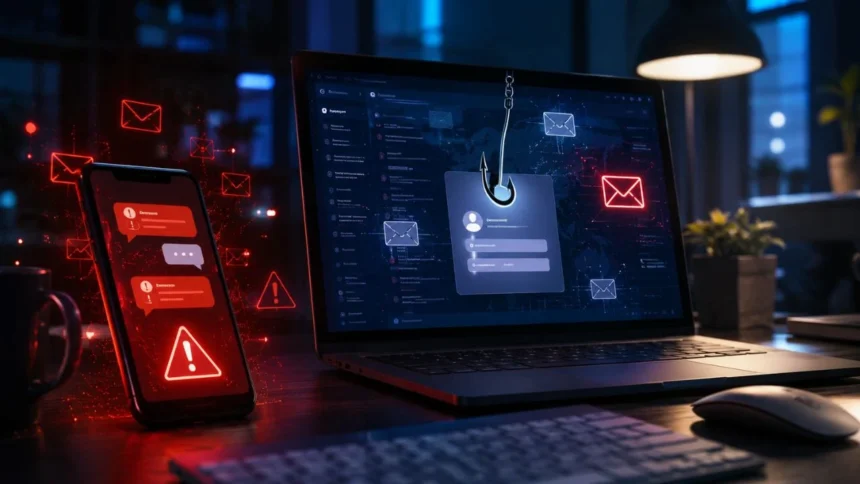
What Is Smishing and Phishing?
Phishing and smishing are social engineering attacks designed to trick people into sharing sensitive information or taking an unsafe action. Criminals may impersonate banks, delivery companies, government agencies, employers, or popular online platforms. Their messages often appear urgent, familiar, and believable enough to lower the recipient’s suspicion. However, the message is created to steal money, login credentials, personal data, or access to a device.
The main difference between phishing and smishing is the communication channel used to deliver the scam. Traditional phishing commonly arrives through email, while smishing is delivered through SMS, MMS, or another mobile messaging service. Both attacks may contain malicious links, fake login pages, payment requests, or instructions to contact a fraudulent number. Their shared goal is to make the victim act before carefully checking whether the request is genuine.
These attacks have become more convincing because scammers can copy branding, imitate normal business language, and personalize messages with exposed information. A fake alert may include a person’s name, bank, delivery provider, workplace, or recent purchase category. Artificial intelligence can also help criminals produce polished messages without obvious spelling or grammar mistakes. As a result, recognizing modern phishing scams requires more than looking for poorly written sentences.
Learning what smishing and phishing are can help you respond calmly when an unexpected message reaches your phone or inbox. Instead of clicking immediately, you can pause, inspect the request, and verify it through an independent channel. Simple habits such as using multi-factor authentication and avoiding unexpected links can prevent serious losses. Understanding the attacker’s methods is therefore an important part of everyday online safety.
What Is Phishing?
Phishing is a cyberattack in which a criminal pretends to be a trusted person or organization to manipulate a recipient. The attacker may send an email that appears to come from a bank, employer, streaming platform, retailer, or government department. It usually presents a believable problem or opportunity that requires immediate attention. The recipient is then encouraged to click a link, open an attachment, transfer money, or provide confidential information.
A phishing email may claim that an account has been suspended, a payment has failed, or suspicious activity has been detected. Other messages may contain fake invoices, refund offers, document-sharing invitations, or password-reset notices. These stories create urgency, fear, curiosity, or excitement to influence the recipient’s decision. The attacker hopes that emotion will prevent the victim from carefully examining the sender, website address, or request.
When a recipient clicks the included link, the destination may look almost identical to a legitimate website. The fake page may copy the company’s logo, colors, navigation, and login form to appear authentic. Any username, password, card number, or security code entered on that page is sent to the attacker. The criminal may then access the real account, steal money, or use the compromised identity for additional scams.
Some phishing attacks use malicious attachments instead of fake login pages. The attachment may pretend to be an invoice, job application, delivery document, financial report, or shared business file. Opening it can install malware, steal stored information, or provide remote access to the device. This means phishing is not limited to password theft because it can also lead to ransomware, financial fraud, and wider network compromise.
What Is Smishing?
Smishing is a type of phishing attack delivered through SMS, MMS, or another mobile text-messaging service. The term combines the words “SMS” and “phishing,” which explains why it is often called SMS phishing. Instead of sending a deceptive email, the attacker sends a fraudulent message directly to the recipient’s phone. The text usually contains a link, phone number, payment request, or urgent instruction.
Smishing messages often imitate organizations that regularly communicate with customers through mobile devices. A scammer may pretend to represent a bank, postal service, delivery company, mobile carrier, tax authority, or toll agency. The message might claim that a package cannot be delivered or that a small unpaid charge remains outstanding. Because the request appears routine, the recipient may follow the instructions without considering the possible risk.
Mobile screens can make smishing scams more difficult to inspect than phishing emails. A shortened or unfamiliar web address may not be fully visible, while limited screen space can hide other warning signs. People also tend to read text messages quickly while travelling, working, or completing other tasks. This creates an opportunity for scammers to pressure victims into making a fast decision.
Smishing can also begin on messaging applications rather than traditional mobile networks. Criminals may use WhatsApp, Telegram, iMessage, social media messages, or other platforms to deliver similar fraudulent requests. The channel may change, but the social engineering technique remains largely the same. The attacker uses trust, urgency, fear, or curiosity to encourage an unsafe response.
Smishing vs. Phishing: What Is the Difference?
The clearest difference between smishing and phishing is the method used to contact the victim. Phishing is commonly associated with fraudulent email, although the broader term can include other digital communication channels. Smishing specifically refers to phishing attempts delivered through text or mobile messaging. Both attacks use impersonation and psychological manipulation rather than depending entirely on technical weaknesses.
Phishing emails can contain longer explanations, branded layouts, attachments, buttons, and detailed signature blocks. Smishing messages are usually shorter because texts are designed for fast and direct communication. A smishing message may present only a warning, a link, and a deadline for taking action. Its brevity can make the request feel more urgent while leaving little information for the recipient to evaluate.
Email platforms often provide visible sender addresses, spam filtering, attachment warnings, and link previews. Text messages may display only a phone number, shortened sender name, or messaging account. Attackers can also rotate phone numbers or use messaging infrastructure that makes the origin difficult to identify. These characteristics can make mobile phishing attacks feel personal even when they are distributed to thousands of recipients.
Despite these differences, the results of successful phishing and smishing attacks can be nearly identical. Victims may lose account credentials, banking information, personal documents, money, or control of their devices. A compromised account may also be used to target friends, relatives, customers, or coworkers. Therefore, both types of scams should be treated as serious cybersecurity threats.
How Phishing and Smishing Attacks Work
Most phishing and smishing attacks begin with the attacker selecting a believable identity and message theme. The criminal may choose a widely used bank, delivery provider, online marketplace, government service, or workplace tool. A convincing story is then created around a payment problem, security alert, refund, prize, or urgent request. The message is distributed to many people or customized for a smaller group of targets.
The message usually includes a call to action that appears simple and time-sensitive. The recipient may be asked to verify an account, review a transaction, pay a small fee, or prevent a service from being cancelled. A deadline encourages the person to act before checking the request through another source. This pressure is an intentional feature of the attack rather than proof that the situation is urgent.
After the recipient clicks, the attacker may direct them to a fraudulent website that captures submitted information. In other cases, the link may trigger a malware download or open a conversation with a fake support representative. The scammer may request passwords, card details, security codes, recovery phrases, or identity documents. Every additional detail helps the attacker commit fraud or gain deeper access.
A successful attack may continue after the victim completes the first request. The criminal may use stolen credentials immediately, contact the victim again, or impersonate the victim to target other people. They may also request another payment by claiming that the first transaction failed. This extended manipulation shows why responding quickly after a suspected compromise is essential.
Common Examples of Phishing Scams
A fake account-security email is one of the most common phishing examples. It may state that someone has signed into your account from an unfamiliar location or that your password has expired. The message includes a button asking you to secure the account or confirm your identity. The button leads to a counterfeit login page designed to capture your username and password.
Invoice phishing targets both individuals and businesses with unexpected bills or payment requests. The message may include an attachment that appears to contain a purchase order, subscription renewal, or overdue invoice. Criminals sometimes impersonate senior employees and instruct finance staff to process an urgent transfer. This targeted business email compromise can cause significant financial losses.
Cloud-document phishing uses fake invitations from file-sharing and collaboration platforms. A recipient may receive an email claiming that a confidential document, voice message, contract, or report has been shared. The link opens a page asking the recipient to sign in with their work or personal account. Once the credentials are entered, the attacker can access email, stored documents, and connected applications.
Fake employment messages are another widely used phishing method. The attacker may advertise a remote job, request an interview through an unfamiliar platform, or ask the applicant to purchase equipment. Victims may be asked to provide banking information, identity documents, or an advance payment. Genuine employers generally do not require applicants to pay fees or move money as part of the hiring process.
Common Examples of Smishing Scams
Package-delivery smishing messages claim that a parcel is delayed because an address is incomplete or a small delivery fee remains unpaid. The text includes a link that imitates a recognized postal or courier website. The fake page may request a payment card, home address, phone number, or account details. A small fee is often used because it may seem too minor to deserve careful investigation.
Unpaid-toll and traffic-violation texts create fear of penalties, legal action, or additional charges. The message may claim that the recipient must pay immediately to avoid a fine, licence suspension, or collection process. A fraudulent link then directs the person to a payment page that copies an official government service. These scams rely on urgency and concern about legal consequences.
Bank-alert smishing messages claim that a card has been blocked, a transfer is pending, or suspicious activity has occurred. The recipient may be asked to click a link, reply with a code, or contact a listed phone number. The criminal may then pose as a fraud specialist and request login information or a one-time security code. A genuine bank should not require customers to reveal complete passwords or verification codes through an unexpected message.
Reward-point and gift scams tell recipients that loyalty points, coupons, or promotional benefits will expire soon. The promise of a reward encourages the person to click before considering whether the message is genuine. The linked form may collect personal details, card information, or account credentials. Some versions also charge recurring subscription fees that were hidden during the initial process.
Warning Signs of Phishing and Smishing
Unexpected urgency is one of the strongest phishing and smishing warning signs. A message may threaten to close an account, cancel a delivery, issue a fine, or remove access within a few hours. Legitimate organizations may send important notices, but they usually provide a secure way to verify the issue. Scammers use extreme urgency because careful investigation reduces their chance of success.
A suspicious sender address, phone number, or website domain can also reveal an attack. Criminals may replace letters, add extra words, use unusual country domains, or create an address that resembles a trusted company. For example, a fake domain may include the brand name followed by terms such as verification, support, payment, or secure. The presence of a recognizable brand within a web address does not prove that the website belongs to that company.
Requests for confidential information should always be treated cautiously. Passwords, PINs, complete card details, recovery phrases, and one-time authentication codes are particularly sensitive. A scammer may claim that this information is needed to verify your identity or reverse an unauthorized transaction. In reality, sharing it may give the attacker exactly what is needed to access the account.
Unexpected attachments, shortened links, unusual payment methods, and unfamiliar contact numbers are additional warning signs. Requests for cryptocurrency, gift cards, wire transfers, or immediate mobile payments deserve particular attention. Grammar mistakes can still appear, but polished language does not prove that a message is safe. Modern scams can be professionally written and visually similar to legitimate communications.
Why Modern Scams Are More Convincing
Modern phishing messages can be created with accurate grammar, professional formatting, and realistic branding. Scammers no longer need advanced writing skills to produce persuasive content in different languages. Automated tools can quickly rewrite a message for a bank customer, job applicant, employee, or online shopper. This improvement makes traditional advice about identifying spelling mistakes less reliable on its own.
Data breaches and public information allow criminals to personalize their attacks. A message may include the recipient’s name, workplace, job title, service provider, or partial account details. This information can make the communication appear more credible, even when the sender is fraudulent. Personalization should therefore be treated as a reason to verify the request rather than automatic proof of authenticity.
Attackers may also spoof sender names, email addresses, phone numbers, or message threads. A text may appear beside genuine messages from an organization, while an email may imitate a familiar contact. Some criminals compromise real accounts and send fraudulent requests from an address the recipient already trusts. This means the sender’s identity must be considered together with the content and context of the request.
Current events and seasonal activities give scammers fresh stories to exploit. Tax periods, holidays, major sales, deliveries, travel seasons, public benefits, and security incidents can all inspire fraudulent campaigns. A message connected to something happening in the recipient’s life may feel especially believable. Verifying the request through an official website or known phone number remains safer than using the message itself.
What to Do When You Receive a Suspicious Message
Do not click a link, open an attachment, reply to the sender, or call the number included in a suspicious message. Even a simple response can confirm that your phone number or email address is active. Instead, pause and consider whether you expected the communication. Urgent language should encourage greater caution rather than faster action.
Verify the request independently by opening the company’s official application or typing its known website address into your browser. You can also contact the organization through a phone number shown on your card, statement, or official website. Do not rely on contact information included in the questionable message. Independent verification separates the genuine organization from the communication created by the scammer.
Use your email provider’s reporting feature to mark suspicious emails as phishing. Fraudulent text messages can be blocked and reported through your phone, mobile carrier, or messaging application. Reporting helps service providers identify related campaigns and protect other users. After reporting the message, delete it so that it is not opened accidentally later.
You should also inform coworkers or relatives when a scam appears connected to a shared organization or service. A criminal may send the same campaign to multiple employees, customers, or family members. Early awareness can prevent another person from responding to a similar message. Businesses should provide a simple internal method for employees to report suspicious communications quickly.
What to Do After Clicking a Phishing Link
If you clicked a suspicious link but did not enter information, close the page immediately. Do not download files, accept browser notifications, install applications, or approve security prompts. Update your browser and security software before running a full device scan. Watch for unexpected pop-ups, new applications, changed settings, or unusual account activity.
If you entered a password, change it immediately through the official website or application. Replace the password anywhere else it was reused because attackers often test stolen credentials on multiple services. Sign out of active sessions and review trusted devices, recovery addresses, and account forwarding rules. A password manager can help you create a different, strong password for every important account.
If you shared financial information, contact your bank or card provider using a trusted number. Explain what happened, review recent transactions, and ask whether the card or account should be restricted. Continue checking statements because unauthorized charges may not appear immediately. Keep records of messages, transactions, phone numbers, and any communication with the scammer.
If a work account or company device was involved, notify the IT or security team without delay. Quick reporting can help administrators reset credentials, block malicious domains, inspect logs, and protect connected systems. Hiding the mistake may allow the attacker to maintain access for longer. Prompt reporting is a responsible security action, even when the message initially appeared convincing.
How to Protect Yourself From Phishing and Smishing
Use multi-factor authentication on email, banking, social media, cloud storage, and other important accounts. This adds another verification step when someone attempts to sign in with a stolen password. Authentication applications, hardware security keys, and passkeys generally offer stronger protection than basic text-message codes. However, no verification code should be shared with someone who contacts you unexpectedly.
Create unique passwords for every account and store them in a trusted password manager. Reusing the same password allows one successful phishing attack to compromise several services. A password manager can also help identify fake websites because it may not fill credentials on an incorrect domain. This small warning can prevent information from being submitted to a counterfeit login page.
Keep phones, computers, browsers, and applications updated with current security patches. Enable spam filtering, unsafe-site warnings, and automatic protection features offered by your email and mobile providers. Avoid installing applications through links sent in unexpected messages. Official application stores and verified company websites provide safer download sources.
Slow down whenever a message asks for money, sensitive data, login details, or immediate action. Confirm unusual requests through a second communication channel, especially when they involve a colleague, manager, friend, or relative. A brief phone call can reveal that an account has been compromised or a request was never sent. Careful verification is one of the most effective forms of phishing protection.
How Businesses Can Reduce Phishing Risk
Businesses should provide regular phishing awareness training based on realistic situations employees may encounter. Training should cover suspicious links, fake invoices, password-reset messages, QR code scams, and urgent payment requests. Employees also need clear instructions explaining where and how to report questionable communications. A supportive reporting culture is more effective than blaming people for honest mistakes.
Email authentication technologies can reduce the misuse of an organization’s domain. Properly configured SPF, DKIM, and DMARC controls help receiving systems evaluate whether a message was sent through authorized infrastructure. These controls cannot stop every lookalike domain or compromised account. However, they can make direct domain impersonation more difficult and improve protection against email spoofing.
Organizations should use phishing-resistant authentication wherever practical. Passkeys, security keys, conditional access rules, and strong identity controls can reduce the value of stolen passwords. Sensitive transactions should also require additional approval, especially when bank details or payment instructions change. A second-person verification process can prevent business email compromise and fraudulent transfers.
Security teams should monitor account logins, mailbox forwarding rules, unusual device registrations, and unexpected data transfers. Incident-response procedures should explain what happens after an employee reports a suspicious message or accidental click. Fast containment can prevent one compromised account from becoming a wider breach. Regular simulations and reviews can also show where additional training or technical controls are needed.
Other Types of Phishing Attacks
Spear phishing is a targeted form of phishing created for a particular person, team, or organization. The attacker may research the victim’s job, contacts, projects, or business relationships before sending the message. This preparation makes the request more relevant and difficult to dismiss. Spear-phishing campaigns are often used to steal corporate credentials or gain access to sensitive systems.
Whaling is a form of spear phishing aimed at executives, business owners, and other senior decision-makers. These individuals may have access to confidential data, financial systems, or high-value approvals. A whaling email might imitate a legal notice, acquisition document, tax issue, or board-level request. The message is designed to match the responsibilities and authority of the intended target.
Vishing uses voice calls or recorded messages instead of email or text. The caller may pretend to represent a bank, police department, tax agency, technical-support team, or government office. They often pressure the victim to reveal information, install software, or transfer money. Caller identification can be spoofed, so a familiar number should not be treated as proof of legitimacy.
Quishing uses a fraudulent QR code to direct victims to a dangerous website or application. The code may appear in an email, parking notice, restaurant, poster, parcel, or printed letter. Because the destination is hidden until the code is scanned, people may not notice that it leads to an imitation website. QR codes should therefore be treated with the same caution as unfamiliar links.
Final Thoughts
Phishing and smishing are closely related scams that use impersonation and emotional pressure to manipulate people. Phishing commonly reaches victims through email, while smishing specifically uses text and mobile messaging services. Both may lead to fake websites, malicious downloads, fraudulent payments, or conversations with criminals. The delivery channel differs, but the attacker’s purpose is usually to steal information, money, or account access.
The most important defence is learning to pause before responding to an unexpected request. A professional design, familiar logo, correct name, or realistic sender identity cannot guarantee that a message is genuine. Requests involving passwords, payments, security codes, or urgent account action deserve independent verification. Open the official application or contact the organization through a source you already trust.
Technical protections also play an important role in reducing phishing risk. Unique passwords, password managers, spam filters, software updates, and multi-factor authentication can limit the impact of a mistake. Businesses need additional measures such as employee training, email authentication, transaction controls, and incident-response procedures. No single tool can stop every attack, so several protective layers should be used together.
Anyone can receive a convincing phishing or smishing message, and falling for one does not mean the victim was careless or unintelligent. These scams are deliberately designed to exploit normal emotions such as trust, fear, curiosity, and helpfulness. What matters most is recognizing the problem and responding quickly after a suspected compromise. Awareness, verification, and prompt reporting can prevent a deceptive message from becoming a serious loss.
Frequently Asked Questions
Is smishing the same as phishing?
Smishing is a specific type of phishing that uses SMS or mobile messages. Phishing is the broader term and is commonly associated with deceptive emails.
Can opening a phishing text infect my phone?
Simply reading a text usually does not infect a phone, but clicking its link or installing a file may create a risk. Close suspicious pages and run a security check after an accidental click.
How can I tell whether a bank text is genuine?
Do not use the link or phone number included in the text. Open the bank’s official application or call the trusted number printed on your card or statement.
What information do phishing scammers try to steal?
Scammers commonly target passwords, card numbers, banking details, identity documents, recovery phrases, and one-time security codes. They may also attempt to install malware or obtain direct payments.
Should I reply STOP to a smishing message?
Do not reply to an obvious scam because a response may confirm that your number is active. Block the sender and use your device or mobile carrier’s reporting option instead.