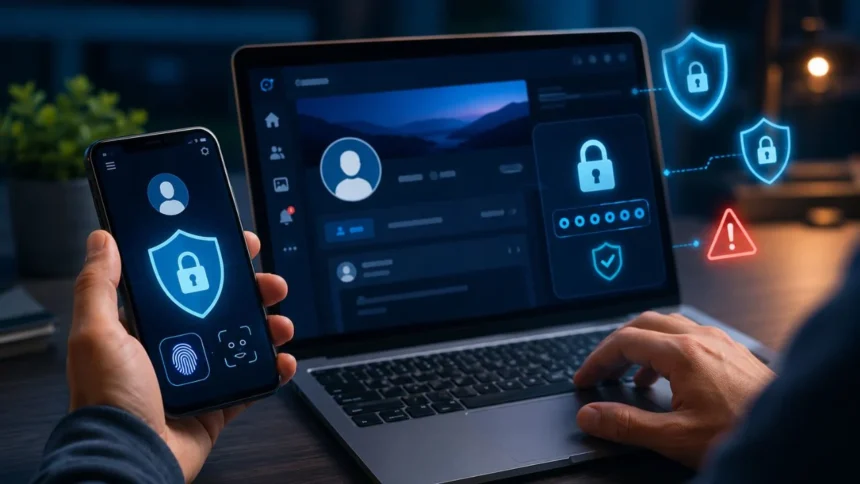
Social media accounts contain more valuable information than many people realise. Your profiles may hold private conversations, personal photographs, business contacts, saved payment details and years of identifying information. If a criminal gains access, the damage can extend beyond an embarrassing post or an unwanted message.
A hacked account may be used to scam friends, impersonate your business, publish harmful content or steal access to other online services. Attackers may also change your password and recovery details, making it difficult to prove that the profile belongs to you. Fast account recovery is not always guaranteed.
The good news is that most account takeovers can be made considerably harder through a few practical security habits. Strong unique passwords, multifactor authentication, secure recovery information and careful handling of links can block many of the techniques commonly used against social media users.
This guide explains how to protect your social media accounts without requiring advanced technical knowledge. It covers Facebook, Instagram, TikTok, X, LinkedIn, YouTube and similar platforms, while focusing on security practices that apply across almost every major social network.
Why Social Media Account Security Matters
Social media profiles are attractive targets because they already have established audiences and trusted relationships. A scammer who controls your account can contact friends, relatives, customers or colleagues while pretending to be you. Messages from a familiar profile are more likely to receive a response.
Business and creator accounts may be even more valuable. They can include advertising access, payment methods, customer conversations, brand assets and large communities. Losing control of one account can interrupt sales, damage reputation and provide attackers with access to connected business tools.
Personal accounts can also reveal information that helps criminals target other services. Birthdays, family names, workplaces, locations and interests may be used to answer recovery questions or create convincing phishing messages. Public information can become more dangerous when combined with leaked data.
Protecting a social media profile therefore means protecting more than posts and followers. It also supports your privacy, financial security, professional reputation and wider digital identity. The strongest approach treats every important social account as a valuable online asset.
Use a Different Strong Password for Every Account
Every social media account should have its own unique password. Reusing the same password across Instagram, Facebook, TikTok, email and shopping websites creates a serious security weakness. A breach at one service may give attackers credentials they can test elsewhere.
A strong password should be long, difficult to guess and unrelated to your personal information. Avoid names, birthdays, telephone numbers, usernames and common phrases. A long random password or unpredictable passphrase is generally much harder to crack than a short password containing predictable substitutions.
Do not create a password pattern by changing only one word or number for each platform. Attackers understand habits such as adding “Facebook,” “Instagram” or the current year to a reused base password. Once one version is exposed, the remaining versions may be easy to predict.
Change a password immediately when you believe it has been exposed, entered on a suspicious page or shared with someone else. You should also update every other account where the same or a similar password was used, beginning with your email and financial accounts.
Use a Password Manager Instead of Memorising Everything
A password manager can create and store strong unique passwords for all your accounts. You only need to protect the password manager itself rather than remembering dozens of complicated login details. This makes good password security more practical for everyday users.
Password managers also reduce password reuse because they can generate a different random credential for every website. They can often warn you when a password is weak, repeated or known to have appeared in a data breach. These alerts help you address risky accounts more quickly.
Another useful benefit is protection against some phishing attempts. A password manager may refuse to fill your saved login details when the website address does not match the legitimate platform. This can alert you that a familiar-looking login page may actually be fraudulent.
Choose a reputable password manager and protect it with a long, unique master password. Enable multifactor authentication for the manager and keep its recovery information secure. Do not store your master password in an unprotected note, message or document that other people can access.
Enable Multifactor Authentication on Every Platform
Multifactor authentication, also called MFA, 2FA or two-step verification, adds another check after your password. Even when an attacker steals your login credentials, the account may remain protected because the attacker lacks the second authentication method.
Major platforms may support authentication apps, security keys, passkeys, device prompts, text messages or recovery codes. An authentication app, passkey or physical security key is generally stronger against phishing and telephone-number attacks than relying only on an SMS code.
Turn on the strongest authentication option that you can use reliably. Save backup codes in a secure location that is separate from your phone. These codes can help you regain access when your device is lost, replaced or unavailable during an emergency.
Never share a verification code with someone who contacts you through a message, call or email. A genuine support representative should not ask you to read out a login code. Unexpected approval prompts should also be denied until you confirm who initiated the login.
Consider Passkeys and Physical Security Keys
Passkeys allow you to sign in using your device lock, such as a fingerprint, facial recognition or PIN. They use cryptographic authentication rather than a reusable password, making them more resistant to fake login websites and traditional credential theft.
A passkey created for a legitimate social platform will not normally work on an imitation domain. This limits the effectiveness of phishing pages that copy the appearance of a real login screen. There is also no readable passkey for you to accidentally type or send.
Physical security keys provide another phishing-resistant option. They are small devices that confirm a login when inserted, tapped or connected wirelessly. Security keys can be particularly useful for creators, journalists, public figures, administrators and businesses facing targeted account attacks.
Keep a backup method when using passkeys or security keys. Registering a second key or storing recovery codes can prevent lockout if the main device is lost. Your screen lock must also remain strong because it protects passkeys saved on your phone or computer.
Protect the Email Account Connected to Social Media
Your email account is often the gateway to your social media profiles. Anyone who gains access to it may be able to request password resets, intercept security alerts and take control of several accounts at once. Email security should therefore be treated as a priority.
Use a unique password and multifactor authentication on the connected email account. Review recent login activity, recovery addresses, telephone numbers and forwarding settings. Remove unfamiliar devices, applications, filters or forwarding rules that you did not create.
Consider using a private email address for important account administration. An address that is not displayed publicly may receive fewer targeted password-reset attempts and phishing messages. Keep your public contact email separate when your work requires people to reach you.
Do not ignore unexpected password-reset emails. They may simply mean that someone entered your username by mistake, but repeated requests can indicate an attack. Strengthen the account, review login activity and avoid clicking reset links that you did not request.
Keep Recovery Information Accurate and Secure
Recovery information helps a platform confirm your identity when you forget a password or lose access to an authentication device. An outdated telephone number or inaccessible email address can make account recovery much more difficult during a security incident.
Review your recovery email and telephone number regularly. Remove information that no longer belongs to you and add a reliable method that only you control. Never use a shared work address or family telephone number unless you fully understand who else can access it.
Store backup codes somewhere secure and offline when possible. Do not leave them in an unlocked photograph gallery, ordinary email draft or public cloud document. Anyone who obtains a valid recovery code may be able to bypass your usual authentication method.
Avoid recovery questions with answers that can be found through your public profile. Information such as your school, pet, hometown or family name may already be visible online. When a platform still uses security questions, choose unpredictable answers and store them securely.
Learn to Recognise Social Media Phishing Scams
Phishing messages are designed to make you act before thinking. They may claim that your account will be deleted, your verification badge is expiring, your post has violated copyright rules or someone has reported your profile. The message then directs you to a fake login page.
Other scams promise free followers, brand partnerships, prizes, advertising credits or access to exclusive features. They may appear to come from a platform employee, influencer, customer or friend. A hacked account can make a fraudulent message appear especially convincing.
Check the full sender address and website domain before entering information. Do not assume a page is genuine simply because it contains the correct logo, colours or security symbols. Criminals can copy a real platform’s visual design while using an unrelated website address.
Open important security settings through the official app or a trusted bookmark rather than a link inside an unexpected message. When a warning is genuine, you should usually be able to find the same information inside the platform’s notification, account status or security area.
Never Share Passwords or Verification Codes
Your password should never be sent through a direct message, email, shared document or group chat. Social platforms do not need your password to verify your identity, resolve a copyright complaint or approve a brand partnership. Anyone requesting it should be treated with suspicion.
Verification codes are equally sensitive. Attackers sometimes enter a victim’s password and then claim they need a code to confirm a competition entry, payment or identity check. In reality, the code may complete the attacker’s login to the victim’s account.
Be careful when someone asks you to screenshot a security screen. The image may expose backup codes, recovery options, login links or account information. Share only the minimum information required when communicating through an official support channel.
Teams managing business accounts should not exchange one shared password among multiple employees. Use platform-provided roles, business management tools or approved access systems instead. This allows each person to use an individual login and makes access easier to remove when responsibilities change.
Review Active Sessions and Connected Devices
Social platforms often provide a list of devices or locations currently signed into your account. Review this section regularly and look for devices, browsers, dates or locations you do not recognise. Location information can be approximate, so consider all details together.
Sign out of unfamiliar sessions immediately. When you believe someone else has accessed the account, change the password and use the option to log out of all other devices. Completing only one of these actions may leave an attacker connected through an existing session.
Turn on login alerts when the platform provides them. These notifications can warn you when someone signs in from an unfamiliar device or location. Respond promptly rather than assuming every alert is a harmless technical error.
Remember to remove access from old phones, borrowed computers and workplace devices. A device may remain signed in long after you stop using it. Before selling, returning or giving away a device, sign out of accounts and erase it using the manufacturer’s recommended reset process.
Remove Unnecessary Third-Party App Access
Social media users frequently connect editing tools, scheduling services, games, quizzes, analytics platforms and follower-management apps. These services may receive permission to view profile information, publish content, read messages or manage parts of an account.
Review connected applications in your account settings and remove anything you no longer use or recognise. Pay attention to the permissions granted to each service. A simple photo-editing tool should not require control over messages, advertisements or account security settings.
Avoid apps that promise instant followers, engagement, verification or guaranteed income. Some collect usernames and passwords directly, while others use authorised access to post spam or perform activity that violates platform rules. These services can compromise both security and account standing.
Revoking an app may not be enough when you previously gave it your actual password. Remove its access, change the password and review active sessions. Also inspect recent posts, messages and account changes to identify anything the service may have done.
Adjust Privacy Settings and Limit Personal Information
Privacy settings cannot prevent every account takeover, but they can reduce the information available to scammers. Decide who can view your posts, stories, contact details, followers, location, tagged content and personal history. Public visibility should be a deliberate choice.
Avoid publishing information commonly used for identity verification, such as your complete date of birth, home address, personal telephone number or answers to security questions. Even harmless posts can reveal patterns that help criminals create targeted scams.
Disable automatic location sharing unless it serves a clear purpose. Posting your live location can create personal safety risks and confirm when your home or workplace is unattended. Share travel photographs after leaving the location when real-time visibility is unnecessary.
Control who can send messages, tag your account, mention you or add you to groups. Limiting these features can reduce spam, impersonation attempts and exposure to harmful links. Business accounts may need broader access, but message requests should still be reviewed carefully.
Secure the Phone and Computer You Use
A secure account still depends on the safety of the device used to access it. Protect your phone and computer with a strong PIN, password or biometric lock. Set the device to lock automatically after a short period of inactivity.
Keep the operating system, browser and social media applications updated. Security updates repair weaknesses that attackers may exploit through malicious websites, files or applications. Delaying updates can leave a device exposed to threats that have already been publicly identified.
Download apps only through official stores or verified developer websites. Avoid modified social media apps that promise hidden features, free premium access or additional control. Unofficial applications may steal credentials, display intrusive advertisements or install harmful software.
Use trusted security software where appropriate and remove unfamiliar browser extensions. An extension with excessive permissions may read website data or change browser behaviour. Regularly check which applications and extensions have access to sensitive information.
Be Careful on Shared Devices and Public Networks
Avoid signing into important accounts on public computers at hotels, libraries, shops or internet cafés. You cannot easily know whether the device stores passwords, records activity or contains malicious software. Use your own trusted device whenever possible.
When you must use a shared device, do not save the password or mark the device as trusted. Sign out fully when finished and remove downloaded files. Changing the password later from your own device may also be sensible when the computer’s security is uncertain.
Public Wi-Fi does not automatically make every social media login unsafe because modern apps usually encrypt connections. However, criminals may create fake networks with convincing names or use public spaces to encourage phishing. Confirm the network name and avoid ignoring browser security warnings.
A mobile data connection or trusted personal hotspot can provide more control when handling sensitive account changes. Regardless of the network, verify the website address and use multifactor authentication. A secure connection cannot protect you when you voluntarily enter information on a fake page.
Give Business and Creator Accounts Extra Protection
Business, creator and influencer accounts should use platform role-management features instead of sharing one main login. Assign only the permissions each person requires. Someone who creates posts may not need access to payments, advertisements, settings or ownership controls.
Review administrators, editors, partners and agencies regularly. Remove former employees, completed contractors and unused business integrations. Access that remains active after a working relationship ends can create an unnecessary security and privacy risk.
Create a written recovery plan before an account is compromised. Record the official support process, account identifiers, ownership documents and authorised contacts. Keep this information secure and separate from the social platform so it remains available during a lockout.
High-risk accounts should consider phishing-resistant authentication, multiple security keys and stronger protection programmes when offered by the platform. They should also separate everyday content work from high-level administration and limit ownership access to a small number of trusted people.
Watch for Signs That Your Account Has Been Hacked
An unexpected password-reset message or login alert may be the first warning. Other signs include a changed profile image, unfamiliar posts, deleted content, new followers, unknown messages or advertisements that you did not create.
You may also notice changes to your email address, telephone number, username or multifactor authentication settings. Attackers often modify recovery information quickly so the real owner cannot easily reset the password. Security notifications about these changes should never be ignored.
Friends may report strange requests for money, verification codes or investment opportunities coming from your account. Treat these reports seriously, even when your profile still appears normal. An attacker may use private messages without making visible changes to the public page.
Reduced access can also be a warning. Your password may stop working, backup codes may fail or the platform may report suspicious activity. Begin the official recovery process immediately rather than paying anyone who claims they can recover the profile for a fee.
What to Do When a Social Media Account Is Compromised
If you can still sign in, change the password immediately from a trusted device. Use a new password that is not shared with any other account. Sign out of other sessions and remove unfamiliar devices, third-party apps and authentication methods.
Secure the connected email account as well. Change its password when necessary, enable multifactor authentication and inspect recovery settings. If the attacker controls your email, changes made to the social account may be reversed through another password reset.
Use the platform’s official hacked-account or recovery process when you cannot sign in. Enter the official website manually or open the help section inside the app. Do not trust recovery links sent by strangers or accounts claiming to provide private support.
Warn your contacts when the compromised account sent suspicious messages. Ask them not to click links, send money or share codes. Review financial activity when payment methods or advertising accounts were connected, and inform your organisation when a work profile was affected.
Perform Regular Social Media Security Checkups
Most major platforms provide a security area where you can review passwords, multifactor authentication, devices, login alerts and recovery details. Completing these checks regularly helps you notice outdated information before it creates an emergency.
A monthly review is suitable for most active users. Business owners, creators and people facing targeted harassment may need to check more often. Review security settings immediately after replacing a phone, changing employees, connecting a new tool or receiving a suspicious alert.
Keep a private list of your important accounts and their recovery methods. Do not record passwords in the list. Instead, note whether multifactor authentication is enabled, where backup codes are stored and which email address controls recovery.
Security checkups should also include privacy and content permissions. Review tagged posts, message settings, connected applications and public contact information. Account protection is strongest when login security, privacy controls and device safety are managed together.
Build Security Habits That Are Easy to Maintain
The best security system is one you can continue using. Begin with your most important social media account, your primary email and your password manager. Create unique passwords and enable multifactor authentication before moving to less frequently used profiles.
Avoid relying on memory alone. Add a recurring calendar reminder to review sessions, connected apps and recovery information. A ten-minute security check can identify an old device or unwanted application before it becomes part of a larger problem.
Talk to family members or colleagues who share responsibility for accounts. Agree on how access will be granted, where recovery codes will be stored and who should respond to security alerts. Clear responsibilities reduce mistakes during urgent situations.
Remain cautious even after enabling every available protection. Security tools reduce risk, but social engineering continues to target human trust, urgency and curiosity. Pausing before clicking, approving or sharing information remains one of the most valuable security habits.
Conclusion
Learning how to protect your social media accounts begins with strengthening the login process. Use a unique password for every platform, store credentials in a reputable password manager and enable the strongest multifactor authentication method available.
Protect the connected email account and keep recovery details accurate. Review active sessions, login alerts, third-party applications and authorised devices. These checks help you find hidden access that a simple password change may not remove.
Treat urgent messages, verification requests and unexpected links carefully. Open security settings through the official application instead of following a link in a direct message or email. Never share passwords, backup codes or authentication codes with another person.
Social media security does not require complicated technical skills. A few consistent habits can prevent account takeover, reduce privacy risks and protect your contacts from scams. Regular checkups are far easier than trying to recover a hacked profile after control has been lost.
Frequently Asked Questions
What is the best way to protect a social media account?
Use a unique password, a trusted password manager and multifactor authentication. You should also secure the connected email address and review active sessions regularly.
Is SMS two-factor authentication safe?
SMS authentication is generally better than using only a password, but authentication apps, passkeys and security keys offer stronger protection against phishing and telephone-number attacks.
How often should I change my social media passwords?
You do not need to change strong unique passwords on a fixed schedule. Change one immediately when it is exposed, reused, entered on a suspicious page or connected to a compromised account.
Can someone hack my account through a direct message?
Simply receiving a message does not normally compromise an account. The danger comes from clicking malicious links, downloading files, sharing codes or entering credentials on a fake website.
What should I do first when my account is hacked?
Change the password from a trusted device, sign out of other sessions and secure the connected email account. Use the platform’s official recovery process when you cannot log in.