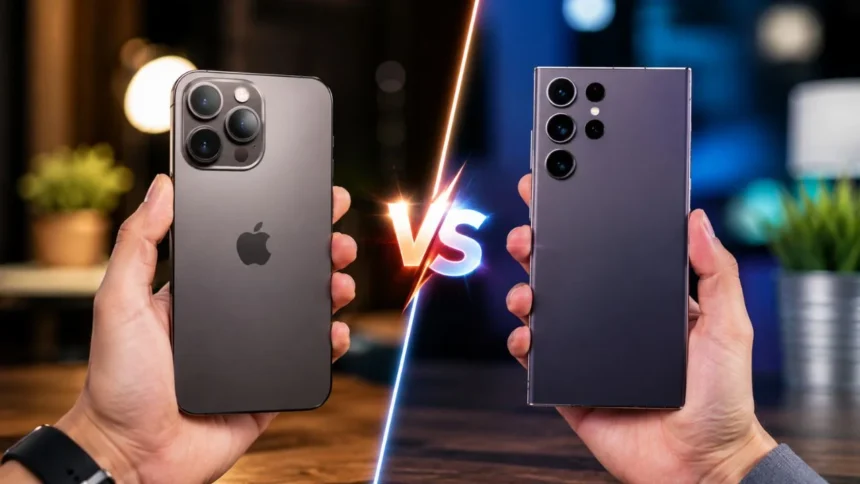
The iPhone vs Samsung debate has continued for years because neither brand is simply selling a piece of hardware. Apple offers an iPhone experience built around iOS and closely connected Apple devices, while Samsung combines premium Galaxy hardware with Android, One UI, Google services, and extensive customization. Choosing between them depends less on brand popularity and more on how you intend to use your phone.
As of July 2026, the most relevant flagship comparison is between Apple’s iPhone 17 family and Samsung’s Galaxy S26 series. Apple currently offers the iPhone 17e, iPhone 17, iPhone Air, iPhone 17 Pro, and iPhone 17 Pro Max. Samsung’s premium range includes the Galaxy S26, Galaxy S26+, and Galaxy S26 Ultra, alongside foldable and mid-range alternatives.
Both companies now provide fast processors, bright OLED displays, advanced camera systems, water resistance, artificial intelligence features, and strong security tools. The meaningful differences appear in software design, camera flexibility, charging options, device integration, multitasking, and product variety. These differences can significantly affect everyday ownership even when two competing phones appear similar on a specification sheet.
This detailed iPhone vs Samsung comparison examines design, display quality, camera performance, battery life, operating systems, AI features, privacy, software support, gaming, productivity, and long-term value. Rather than declaring one brand universally superior, the guide explains which phone is better for specific users, budgets, habits, and technology ecosystems.
iPhone vs Samsung: The Quick Answer
An iPhone is generally the better choice for someone who already uses a Mac, iPad, Apple Watch, AirPods, or other Apple products. Apple’s Continuity system lets compatible devices share files, copy and paste content, hand off tasks, relay calls and messages, use an iPhone as a Mac webcam, and access notifications across devices.
A Samsung phone is generally better for users who want deeper customization, split-screen multitasking, more camera zoom options, or a wider selection of device designs. Galaxy phones support Multi Window modes, while compatible Galaxy S devices can use Samsung DeX to display a desktop-style interface on a television or monitor.
For cameras, Samsung has an advantage when optical zoom and long-distance photography are the priority. Apple remains particularly attractive to creators who use professional video formats and production features. The best camera phone therefore depends on whether the buyer values flexible telephoto photography or advanced video recording and editing workflows.
There is no single winner for every person. Choose iPhone for ecosystem simplicity, polished device integration, professional video features, and a controlled software experience. Choose Samsung for customization, zoom photography, multitasking, faster flagship charging, broader hardware choice, and stronger compatibility with Windows and Android devices.
iPhone vs Samsung Comparison at a Glance
The standard iPhone 17 and Galaxy S26 are more evenly matched than earlier base-model comparisons. Both have 6.3-inch OLED displays with adaptive refresh rates of up to 120Hz. The iPhone 17 weighs 177 grams, while the Galaxy S26 weighs approximately 167 grams, giving Samsung a small portability advantage.
Apple’s standard iPhone 17 uses the A19 chip and includes a 48MP main camera and 48MP ultrawide camera. Samsung’s standard Galaxy S26 offers a 50MP main camera, 12MP ultrawide camera, and dedicated 10MP telephoto camera with 3x optical zoom. That additional lens gives the standard Galaxy greater focal-length flexibility.
At the premium level, the iPhone 17 Pro and Pro Max concentrate on computational photography, video production, and integration with professional creative workflows. The Galaxy S26 Ultra emphasizes a high-resolution 200MP main camera, separate 3x and 5x optical telephoto cameras, a large QHD+ display, S Pen functionality, and advanced Galaxy AI features.
The following table provides a simplified overview. Individual results will vary by model because comparing the affordable iPhone 17e with the Galaxy S26 Ultra would not be meaningful. Buyers should compare devices from similar price categories and storage levels before deciding which smartphone offers the best value.
Design and Build Quality
Apple normally keeps its iPhone range visually consistent, making the devices easy to recognize and familiar to returning users. The iPhone 17 uses an aluminum design with Ceramic Shield 2 on the front and a color-infused glass back. Its flat sides and 6.3-inch dimensions provide a balance between screen space and manageable one-handed use.
Samsung provides greater physical variety. The Galaxy S26 offers a compact flagship shape, the S26+ provides a larger display, and the S26 Ultra adds a more productivity-focused design. Samsung also sells Galaxy Z foldable phones and Galaxy A mid-range devices, giving buyers more choices than Apple currently provides in form factor and budget positioning.
Want to Learn More Read Our Guide On Top 10 Best Smartphones for everyday Use
The standard Galaxy S26 is thinner and lighter than the standard iPhone 17, although the difference may not be significant once a protective case is installed. The S26 measures approximately 7.2mm thick and weighs around 167 grams, whereas the iPhone 17 measures roughly 7.95mm thick and weighs 177 grams.
Neither brand has an automatic design victory because comfort is personal. Buyers with smaller hands may prefer the lighter Galaxy S26, while people who already enjoy Apple’s familiar controls may prefer the iPhone. Anyone considering a Pro Max, Ultra, or foldable model should handle the device before buying, as size and weight affect everyday comfort more than promotional images suggest.
Display Quality: Which Screen Is Better?
Apple has significantly improved the standard iPhone display experience. The iPhone 17 includes a 6.3-inch Super Retina XDR OLED screen, an Always-On display, ProMotion technology with an adaptive refresh rate of up to 120Hz, and up to 3,000 nits of claimed outdoor peak brightness. These specifications make smooth scrolling available without requiring an iPhone Pro.
The Galaxy S26 also has a 6.3-inch Dynamic AMOLED 2X display with an adaptive refresh rate from 1Hz to 120Hz. The Galaxy S26+ increases the screen size to 6.7 inches and provides QHD+ resolution, while the S26 Ultra uses a 6.9-inch QHD+ panel. Samsung therefore offers more display sizes within its main flagship family.
Both brands deliver excellent contrast, fluid animations, high brightness, and strong multimedia experiences. Apple’s display is carefully integrated with iOS features such as True Tone, Dynamic Island, and the Always-On screen. Samsung provides more display controls and resolution choices on selected models, which may appeal to users who enjoy tailoring color profiles, refresh rates, and interface behavior.
The standard phones are effectively tied for most everyday users. Samsung wins for people who want a larger QHD+ screen or more size options, while Apple offers a polished and color-consistent viewing experience. The better display is ultimately the one that provides comfortable brightness, readable text, and an appropriate physical size for the buyer’s hands and viewing habits.
Performance and Everyday Speed
The iPhone 17 is powered by Apple’s A19 chip, while the iPhone 17 Pro models use the A19 Pro. Apple combines these processors with dedicated Neural Engine hardware, graphics acceleration, and close control over iOS. This integration supports photography, gaming, AI features, video editing, communication, and other demanding applications.
Samsung uses either the Snapdragon 8 Elite Gen 5 for Galaxy or the Exynos 2600 in standard S26 models, depending on the device and market. The Galaxy S26 Ultra uses the Snapdragon platform in Samsung’s published global specifications. Processor availability should be checked locally because regional variants may not use identical chipsets.
For regular tasks such as WhatsApp, social media, email, browsing, banking, photography, and streaming, both current flagship families are more than powerful enough. Performance differences become more meaningful during long gaming sessions, high-resolution video editing, AI processing, or heavy multitasking. Storage capacity and thermal management can also influence the experience.
Apple’s strength is consistent hardware-software optimization across a smaller product range. Samsung’s advantage is flexibility, including higher published RAM configurations, split-screen operation, desktop-style output, and greater control over background behavior. Most users should prioritize battery endurance, software preference, and storage rather than choosing a phone solely because one processor appears faster on paper.
Camera Comparison: iPhone or Samsung?
The standard Galaxy S26 has a practical camera advantage over the standard iPhone 17 because it includes a dedicated 3x optical telephoto lens. Its system consists of a 50MP main camera, 12MP ultrawide camera, and 10MP telephoto camera. The iPhone 17 includes 48MP main and ultrawide cameras, with a 2x optical-quality crop from the main sensor.
For portraits, stage events, travel landmarks, and other distant subjects, the physical telephoto lens makes the standard Galaxy more versatile. The iPhone 17 still provides strong everyday coverage for people who primarily photograph friends, food, pets, documents, landscapes, and social media content. A user who rarely zooms may not consider the missing telephoto lens a serious disadvantage.
The premium comparison is closer. The iPhone 17 Pro has 48MP main, ultrawide, and telephoto cameras, including 4x optical telephoto and an 8x optical-quality option. The Galaxy S26 Ultra has a 200MP main camera, 50MP ultrawide camera, 3x optical telephoto, 5x optical telephoto, and a 10x optical-quality option.
Samsung is the better choice for users who regularly photograph distant subjects and want several zoom levels. Apple is highly competitive for predictable point-and-shoot results and connected creative workflows. Because image processing styles differ, buyers who care deeply about skin tones, sharpening, contrast, and nighttime photography should examine full-resolution samples instead of comparing megapixel numbers alone.
Video Recording: Where iPhone Has an Advantage
The iPhone 17 Pro supports 4K Dolby Vision recording, ProRes recording, ProRes RAW, Apple Log 2, the Academy Color Encoding System, genlock, advanced stabilization, and multiple professional audio tools. These features make the Pro models suitable for filmmakers, commercial content creators, and users working with advanced editing and color-grading software.
Samsung also provides powerful high-resolution video capabilities, stabilization tools, AI-assisted editing, and strong zoom flexibility. The Galaxy S26 Ultra includes enhanced stabilization and camera-processing improvements intended to produce clearer footage under difficult conditions. Its camera arrangement is particularly useful when creators need to move between wide, standard, and telephoto perspectives.
For ordinary family videos, short-form social content, travel clips, and video calls, both brands can produce excellent results. The user’s recording technique, lighting, microphone quality, and editing choices may affect the outcome more than the difference between two flagship phones. Storage is also important because high-resolution video files consume space quickly.
The iPhone wins this category for users specifically seeking professional recording formats and an established mobile filmmaking workflow. Samsung remains highly capable and may be more versatile for zoomed video. Someone who records only occasional clips should not pay extra for advanced video features that will remain unused.
Battery Life and Charging
Battery comparisons require caution because Apple and Samsung publish different measurements. Apple usually emphasizes hours of video playback, while Samsung publishes typical battery capacity and charging percentages. Manufacturer claims should therefore not be treated as controlled head-to-head battery tests, and real endurance will vary with mobile signal, brightness, applications, refresh rate, and camera use.
Apple rates the iPhone 17 for up to 30 hours of video playback. The iPhone 17 Pro is rated for up to 33 hours, while the iPhone 17 Pro Max reaches a claimed 39 hours. The Pro models can reach up to 50% charge in approximately 20 minutes when used with compatible charging equipment.
Samsung publishes capacities of 4,300mAh for the Galaxy S26, 4,900mAh for the S26+, and 5,000mAh for the S26 Ultra. The S26 Ultra supports up to 60W charging and is claimed to reach approximately 75% in 30 minutes, while the S26+ supports faster charging than the standard S26.
Samsung wins for flagship wired charging speed and includes Wireless PowerShare for charging selected accessories from the phone. Apple’s strength is MagSafe and Qi2 accessory integration, with the standard iPhone 17 supporting wireless charging at up to 25W. Battery-focused buyers should compare independent tests for their exact models rather than assuming that a larger capacity always produces longer usage.
iOS vs Android and One UI
The operating system may matter more than camera megapixels or processor names. The iPhone runs iOS, which emphasizes consistency, controlled defaults, and integration with Apple services. Samsung phones run Android with the One UI interface, combining Google applications with Samsung’s own productivity, customization, camera, health, payment, and device-management tools.
Modern iPhones provide considerably more customization than older generations. Users can personalize Lock Screens, change Home Screen icon appearances, apply tinted or clear visual styles, place widgets, create Focus-based layouts, and adjust shortcuts. Apple still controls more aspects of the interface than Samsung, but describing iOS as completely uncustomizable is no longer accurate.
Samsung goes further by allowing users to customize quick settings, interface layouts, default applications, home screens, widgets, themes, automation routines, and multitasking behavior. Galaxy devices can run applications in split-screen or pop-up windows, which is especially useful when copying information, watching a video while messaging, or working across two applications.
Choose iOS when predictability, simplicity, and close Apple integration are priorities. Choose Samsung’s One UI when you want greater control over how the phone looks and operates. Neither approach is objectively correct: some users experience extensive settings as freedom, while others experience the same options as unnecessary complexity.
Apple Intelligence vs Galaxy AI
Apple Intelligence includes writing assistance, proofreading, visual intelligence, image tools, notification handling, and Siri-related functions. Visual intelligence can interact with visible text, identify places or objects, turn a photographed poster into a calendar event, search supported services, and access ChatGPT for selected requests.
Galaxy AI includes tools for communication, photography, content creation, transcription, document scanning, and personalized assistance. Samsung highlights Photo Assist, Creative Studio, call transcription, call screening, and other features intended to reduce repetitive steps. The Galaxy S26 generation also uses a Personal Data Engine for supported contextual and personalized functions.
Samsung currently presents Galaxy AI more visibly throughout the phone’s interface, particularly in Gallery, calls, notes, and device suggestions. Apple’s approach is more closely connected to supported Apple applications and system experiences. Both platforms mix on-device processing with cloud-based functions, depending on the task and selected settings.
AI should not be the only reason to choose a phone because availability can depend on language, region, account requirements, internet access, and software version. Some AI tools are genuinely useful, while others may be used only occasionally. Buyers should identify two or three features that solve real problems rather than purchasing a device because it carries an AI label.
Ecosystem and Device Compatibility
Apple’s ecosystem is one of the strongest reasons to purchase an iPhone. Continuity allows compatible Apple devices to share files through AirDrop, copy and paste with Universal Clipboard, continue tasks through Handoff, relay phone calls and text messages, use an iPhone as a Mac camera, and mirror an iPhone on supported Macs.
These connections work especially well when a person already owns several Apple products and uses the same Apple Account across them. A photo captured on the iPhone can appear on other devices, an email started on one screen can be continued on another, and AirPods can operate within the same broader environment. Moving away from iPhone may therefore involve changing routines rather than only changing a handset.
Samsung’s ecosystem connects Galaxy phones with Galaxy tablets, watches, earbuds, televisions, SmartThings devices, and Windows computers. Quick Share transfers files to supported Galaxy, Android, and PC devices, while compatible versions can also provide sharing methods for people outside the Samsung ecosystem.
Samsung DeX is an important productivity difference. Compatible S26 models can connect to a television or monitor through HDMI or wireless Miracast and display a desktop-style workspace. Apple provides powerful Mac integration, but Samsung provides more ways to use the phone itself as a flexible computing device.
Privacy, Security and Device Protection
Apple uses hardware and software security features such as the Secure Enclave, device encryption, application permissions, Face ID, and privacy controls. Apple states that iMessage and FaceTime are designed so the company cannot read communications while they are in transit, and iMessage content is end-to-end encrypted between supported devices.
Samsung protects compatible Galaxy devices with Samsung Knox, Knox Vault, Secure Folder-related tools, theft protections, and application-level controls. On the Galaxy S26 series, Knox Enhanced Encrypted Protection separates supported application data, while Knox Vault isolates sensitive information within dedicated secure hardware.
Both platforms require responsible user behavior. A secure phone can still be compromised when its owner reuses passwords, ignores software updates, installs suspicious applications, shares verification codes, or responds to phishing messages. Enabling biometric authentication, automatic updates, account recovery methods, and multi-factor authentication is essential regardless of brand.
There is no responsible basis for declaring that every iPhone is automatically safer than every Samsung phone, or vice versa. Both companies provide strong security architectures on current flagship devices. The better option is the phone whose privacy controls the buyer understands and will actively use rather than disable for convenience.
Software Updates and Long-Term Ownership
Samsung has made its update policy a major flagship advantage. The company states that the Galaxy S26 series will receive seven generations of operating-system upgrades and seven years of security updates from its global launch date. This written commitment gives buyers a clear idea of how long official support is expected to continue.
Apple does not advertise a fixed number of future iOS generations on each current iPhone specification page. Instead, supported devices are listed when new operating-system versions are announced or released. Buyers considering an older, refurbished, or heavily discounted iPhone should therefore check current software compatibility rather than relying solely on the phone’s age.
Update duration is only one part of long-term value. Battery health, storage capacity, repair availability, water resistance, accessory compatibility, and physical condition also influence how long a smartphone remains practical. A phone receiving software updates may still become frustrating if its battery is degraded or its storage is consistently full.
Samsung wins for the clarity of its published Galaxy S26 commitment. Apple remains a strong long-term option, particularly for people who buy current-generation devices and maintain them carefully, but buyers should not assume an unofficial number of guaranteed years. Whichever brand is selected, choosing sufficient storage and budgeting for eventual battery service can extend the device’s useful life.
Gaming, Multitasking and Productivity
Both iPhone and Samsung flagship phones can run demanding games, high-resolution media, editing tools, and productivity applications. Apple’s A19 and A19 Pro platforms include hardware-accelerated graphics capabilities, while Samsung equips its S26 devices with current Snapdragon or Exynos processors and substantial memory configurations.
An iPhone may suit gamers who value straightforward performance, tightly controlled software, and access to games optimized for Apple hardware. Integration with compatible Apple devices and services may also make the iPhone convenient for users who edit videos, manage media libraries, or move projects between a phone, iPad, and Mac.
Samsung has a practical advantage for multitasking. Split-screen mode can display two supported applications simultaneously, while pop-up view places an application in a movable window. DeX can create a larger desktop-style working environment with a keyboard and mouse, making Galaxy phones more flexible for presentations, documents, remote access, and lightweight office work.
Gamers should compare sustained performance and heat management for the exact models they are considering. Productivity users should focus on application compatibility and their existing computer. An iPhone usually fits more naturally beside a Mac, while a Galaxy phone often provides a more flexible relationship with Windows PCs and external displays.
Price, Model Selection and Overall Value
Apple’s current range offers several approaches to the iPhone experience. The iPhone 17e targets more cost-conscious buyers, the iPhone 17 provides a balanced flagship experience, the iPhone Air emphasizes a thinner design, and the Pro models provide more advanced cameras, processors, displays, and creative tools.
Samsung provides a wider variety of phone types. The S26 series covers compact, large-screen, and Ultra flagship options, while the Galaxy Z Fold and Flip devices provide foldable designs. Galaxy A models offer lower-priced alternatives, allowing buyers to remain within Samsung’s software environment without purchasing a premium flagship.
Exact value depends on local prices, promotions, warranty coverage, trade-in offers, taxes, repair costs, and storage configurations. A discounted Galaxy flagship may provide more hardware for the money, while an iPhone may be worth the premium to someone who already owns Apple products and would benefit from Continuity every day.
Do not compare only the lowest advertised prices. Confirm whether the device includes enough storage, whether a charging adapter must be purchased separately, and whether the model supports local SIM and network requirements. A cheaper imported phone may become expensive if it lacks an official warranty, reliable repair access, or complete carrier compatibility.
Who Should Buy an iPhone?
Buy an iPhone when you already use a Mac, iPad, Apple Watch, or other Apple products. The integrated ecosystem can save time every day through AirDrop, Handoff, Universal Clipboard, shared communications, iPhone camera functions on Mac, and synchronized services. These conveniences become more valuable as the number of connected Apple devices increases.
An iPhone is also a strong choice for users who want a predictable interface with fewer decisions about system behavior. Apple now provides meaningful personalization, but the overall experience remains relatively controlled. This can be helpful for people who want a phone that feels familiar after updates and does not require extensive configuration.
Content creators should consider an iPhone 17 Pro when professional video features are important. ProRes RAW, Apple Log 2, Dolby Vision, external recording options, advanced stabilization, and genlock support provide tools that go beyond casual smartphone recording. Buyers should still confirm that their editing software and workflow support these formats.
The iPhone is not automatically the best option for people who need strong optical zoom, split-screen multitasking, deep interface customization, or a foldable display. It is best for users who value the complete Apple experience more than individual specification advantages and are comfortable working within Apple’s hardware and software environment.
Who Should Buy a Samsung Phone?
Buy a Samsung phone when customization and control are major priorities. One UI lets users change numerous visual and functional elements, select preferred defaults, use widgets and themes, customize quick settings, and automate selected routines. Samsung gives experienced users more freedom to shape how the device behaves.
Samsung is also the better option for users who regularly multitask. Split-screen applications, pop-up windows, edge panels, external-display support, and Samsung DeX create a more flexible productivity environment. These features are valuable for professionals who reference documents while messaging, monitor information during calls, or occasionally work from an external screen.
Mobile photographers who frequently use zoom should strongly consider the Galaxy S26 or S26 Ultra. Even the standard Galaxy S26 includes a dedicated 3x telephoto camera, while the Ultra adds separate 3x and 5x optical cameras. This makes Samsung particularly attractive for travel, architecture, wildlife, sports, concerts, and distant portraits.
Samsung is also suitable for buyers who want more hardware choices. The company offers traditional flagships, large Ultra devices, foldable phones, and lower-cost Galaxy A models. This broader portfolio makes it easier to select a Samsung phone according to screen size, form factor, camera system, and budget instead of adapting to a relatively narrow selection.
Final Verdict: Is iPhone or Samsung Better?
The iPhone is better for users who want simplicity, excellent Apple ecosystem integration, a consistent interface, and advanced professional video features. The iPhone 17 is the most balanced option for typical buyers, while the iPhone 17 Pro models are more appropriate for creators and users requiring more versatile cameras.
The Samsung Galaxy is better for users who want customization, multitasking, optical zoom, faster flagship charging, Windows compatibility, and greater hardware variety. The standard Galaxy S26 is a capable compact flagship, while the S26 Ultra is designed for buyers who want Samsung’s strongest camera, display, productivity, and AI features.
For an average user entering either ecosystem for the first time, the Galaxy S26 provides more hardware flexibility, particularly through its dedicated telephoto camera and multitasking features. The iPhone 17 provides a highly cohesive experience and becomes the stronger overall purchase when the owner already uses Apple devices.
The honest winner is therefore determined by the user. Choose iPhone when you value a connected Apple experience and polished simplicity. Choose Samsung when you value control, flexibility, zoom photography, and productivity. The best phone is not the device with the longest specification list; it is the one that fits naturally into your daily routine.
Frequently Asked Questions
1. Is Samsung better than iPhone in 2026?
Samsung is better for customization, multitasking, zoom photography, faster flagship charging, and hardware variety. The iPhone is better for Apple ecosystem integration, interface consistency, and professional video workflows.
2. Which has the better camera: iPhone or Samsung?
Samsung generally offers stronger optical zoom, particularly on the Galaxy S26 Ultra. The iPhone 17 Pro is highly competitive for everyday photography and provides advanced video tools such as ProRes RAW and Apple Log 2.
3. Which phone lasts longer, iPhone or Samsung?
Longevity depends on software support, battery condition, storage, repair access, and user care. Samsung explicitly promises seven OS generations and seven years of security updates for the Galaxy S26 series.
4. Is iPhone easier to use than Samsung?
Many users find the iPhone easier because iOS uses controlled defaults and a consistent layout. Samsung provides more settings and customization, which can feel more powerful to experienced users but more complex to beginners.
5. Should I switch from Samsung to iPhone?
Switch when you use a Mac, iPad, or Apple Watch and would benefit from Apple Continuity. Staying with Samsung may be better when you depend on Android customization, split-screen apps, DeX, optical zoom, or Windows integration.